
Turn repeated explanations into training your team can reuse and update. These five tools cover software walkthroughs, avatar-led lessons and LMS delivery. Start with the task people need to perform, then compare editing, language review, export limits and the complete cost. The aim is to free the team for coaching and the work that needs human judgment.
Quick picks by job
Plans, quotas and LMS options compared
 Ngram
Ngram
- Best for
- Process and product walkthroughs from actual screen captures
- Published price
- Basic 29 USD/mo, Premium 59 USD/mo, Ultimate 299 USD/mo; free plan with 1,000 credits/mo (public sharing, no downloads)
- Billing and capacity
- Annual: 23.20, 47.20 or 239.20 USD/mo. Basic 3,000 credits/mo at 720p, Premium 10,000 at 1080p, Ultimate 50,000 at 4K
- LMS and updates
- SCORM export not verified. Polls and quizzes only in the Ultimate/Enterprise shared player, not in MP4 files
 Guidde
- Best for
- Software SOPs and onboarding on internal tools
- Published price
- Free plan: 25 how-to guides. Pro 19 USD and Business 39 USD per creator/month, as shown with annual billing
- Billing and capacity
- Annual: 228 or 468 USD per creator/year. Business allows up to 5 creators, each charged. 7-day Business trial, no card
- LMS and updates
- SCORM export, LMS connection, auto translation and approval/version control on Enterprise quote only
 Colossyan
- Best for
- Small training teams that must track courses in an LMS
- Published price
- Starter free (20 NEO min/mo, watermark, no SCORM). Professional 89 USD/mo, extra editor 45 USD/mo, up to 3 editors
- Billing and capacity
- Annual: 59 USD/mo (708 USD/year), extra editor 30 USD/mo. Professional: 30 NEO min + 10 NEO 2 min/mo, engines not interchangeable
- LMS and updates
- Professional: 5 SCORM video exports and 5 Learn course exports per month, streaming only. Unlimited SCORM on Enterprise
 Synthesia
- Best for
- Editable avatar presenters for welcome, policy and explainer modules
- Published price
- Starter 29 USD/mo (1,250 credits), Pro 89 USD/mo (6,000 credits), billed monthly. Free: 500 credits, 10 min Studio/dubbing
- Billing and capacity
- Roughly up to 12 or 60 video minutes on Starter and Pro: estimates, not a firm quota. 1 editor; Pro adds 5 guests (not editors) These paid-credit estimates come on top of the free allowance; video, dubbing and other features draw on shared credits.
- LMS and updates
- SCORM, one-click translation, SSO and live collaboration on Enterprise quote. Interactive video from Pro
 HeyGen
- Best for
- Avatar training, longer videos and localized versions
- Published price
- Creator 29 USD/mo (600 credits, 1080p), Pro 49 USD/mo (1,000 credits, 4K), Business 149 USD/mo (1,500 credits) + 20 USD per extra user
- Billing and capacity
- Monthly prices only, annual billing not verified. Max length per video: 30 min on Creator, 60 min on Business. Free: 3 videos/mo up to 1 min
- LMS and updates
- Business: interactive quizzes and links, SCORM/LMS, draft comments, SAML SSO
Ngram
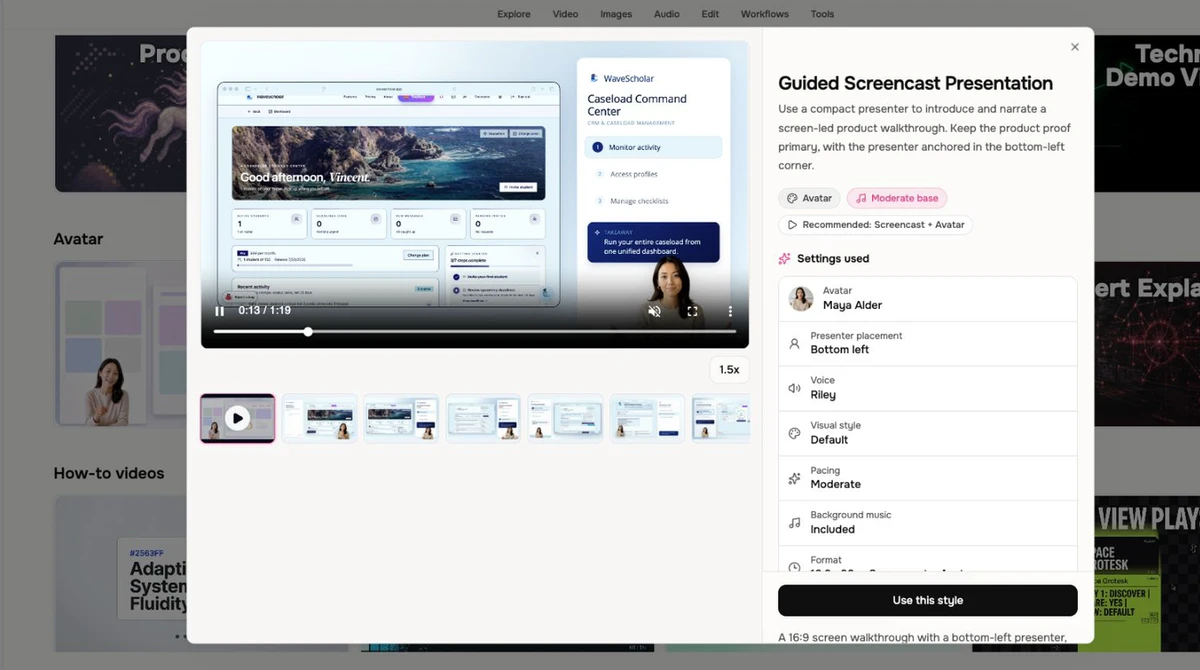
Ngram: real screen recordings turned into editable walkthroughs
Ngram keeps your actual screen recording rather than regenerating the interface. It cleans up the cursor, emphasises clicks, trims dead air, adds step labels and captions, then lets you edit through chat, scenes or a timeline. On a support ticket walkthrough, viewers see the real screens.
The training workflow starts from an SOP, a document or screens. You approve a plan before generation, and when one step of the procedure changes you update the affected scenes instead of rebuilding the whole video. That is the main argument for teams whose tools change often.
Credits need care. Premium generation costs 10 credits per second and a cheaper mode 3, so minute figures assume every credit goes to generation; re-renders and assets also consume. On Basic, unlisted links have no access authentication: anyone with the link can watch.
Guidde
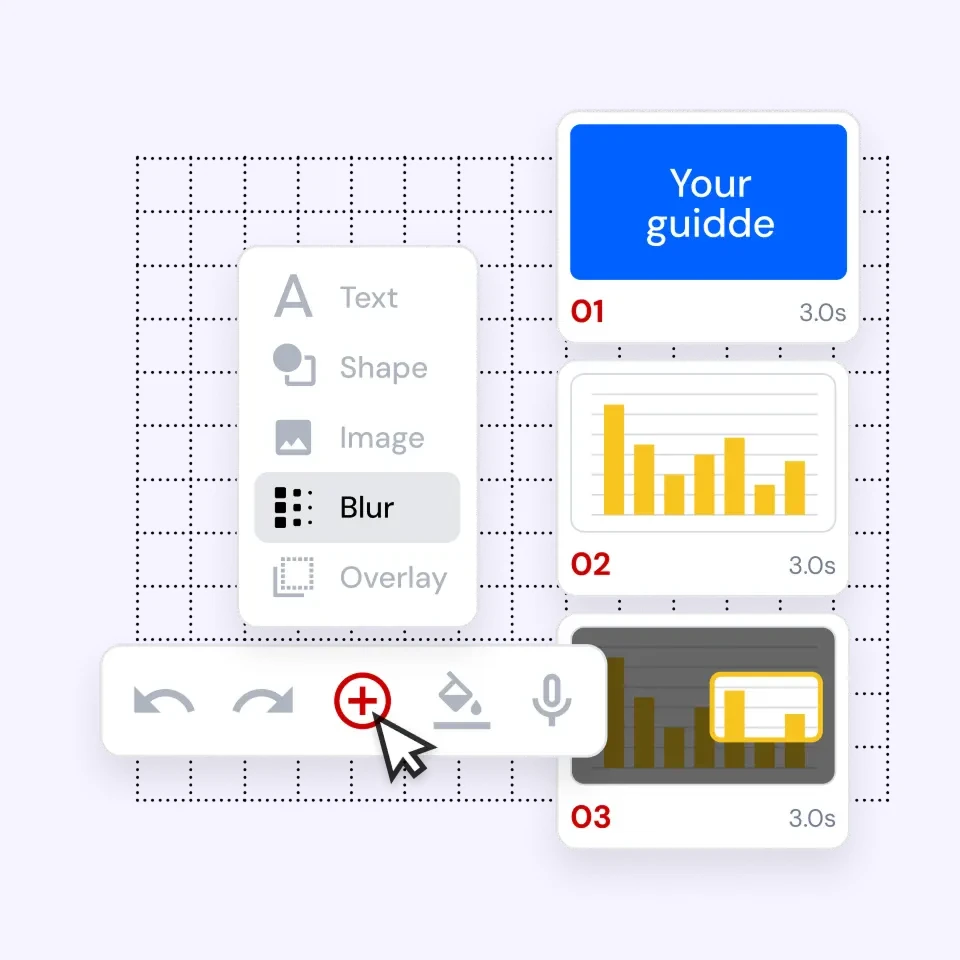
Guidde: browser-captured how-to guides for SOPs and onboarding
Guidde records a workflow while you perform it in the browser, adds your own voice or, on Business, AI text-to-voice, and produces a shareable guide. Its onboarding use case focuses on role-specific learning, then embedding and updating guides where people already work.
The pricing page shows Pro and Business with annual billing. Struck-through amounts of 29 and 59 USD appear, but we do not treat them as verified cancellable monthly prices. Pro adds MP4, PPT and PDF downloads, a brand kit and manual blur. Business adds desktop capture, analytics and privacy controls.
Read the tiers closely. AI voices in many languages are not automatic translation, which is Enterprise. Manual blur is not automatic redaction of personal data, also Enterprise. MP4 export requires a paid plan.
Colossyan
Colossyan: published SCORM quotas on a self-serve plan
Professional includes five SCORM video exports and five Learn course exports each month, as separate quotas, plus 20 automatic translations and 15 interactive videos. Unlimited MP4 downloads do not mean unlimited generation.
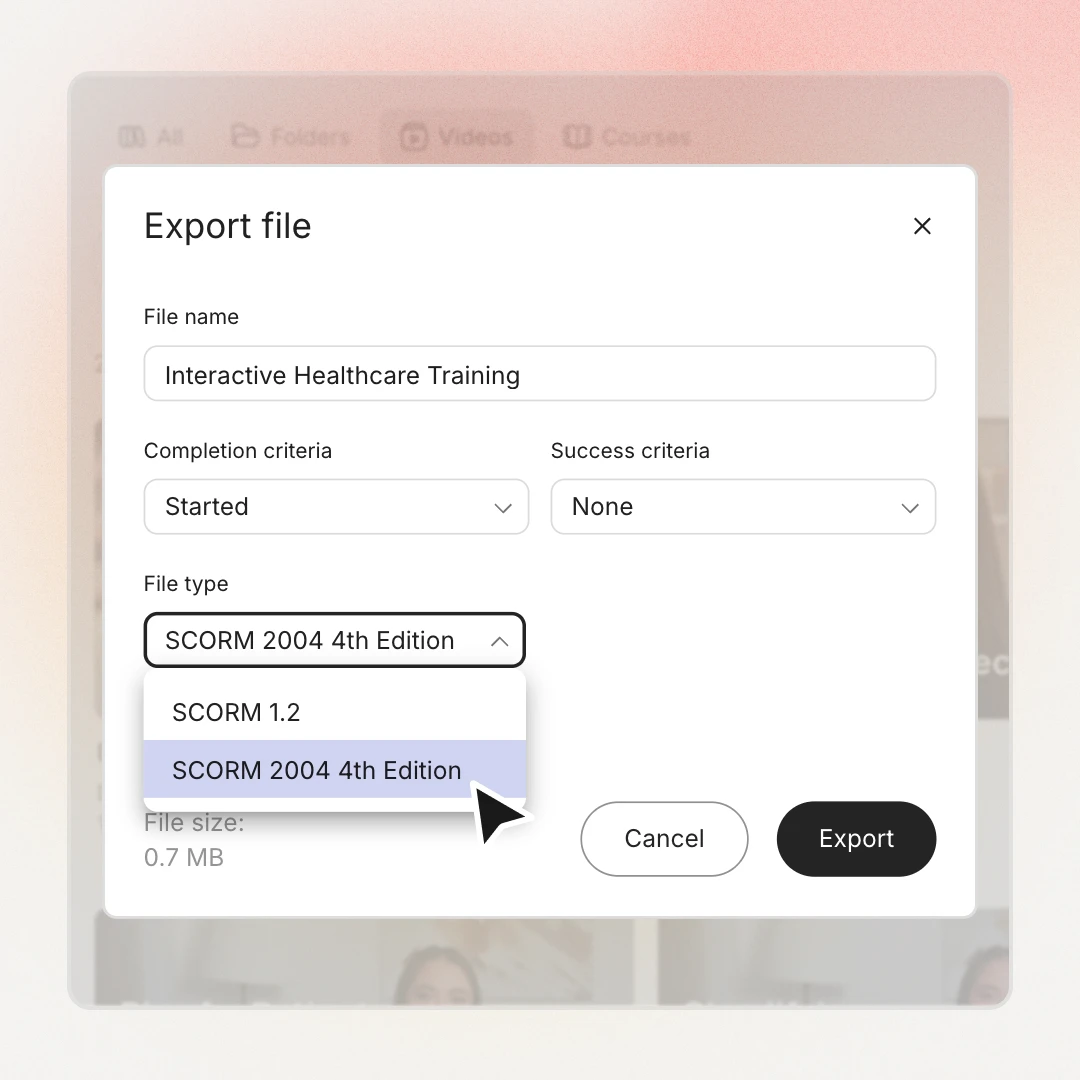
Video exports support SCORM 1.2 or 2004 (4th edition); Learn courses export 1.2, with 2004 on the roadmap. Dynamic SCORM that updates the LMS automatically is also on the roadmap, without dates, so today a changed module means re-exporting and re-uploading the package.
Interactive multiple-choice questions and branching are available. Completion (started or ended) is tracked separately from success against a pass mark, which matters when you configure the LMS. Streaming packages need a connection; self-contained offline packages are Enterprise. Test resume, completion and scoring in your own LMS.
Synthesia
Synthesia: avatar-led training edited from documents and slides
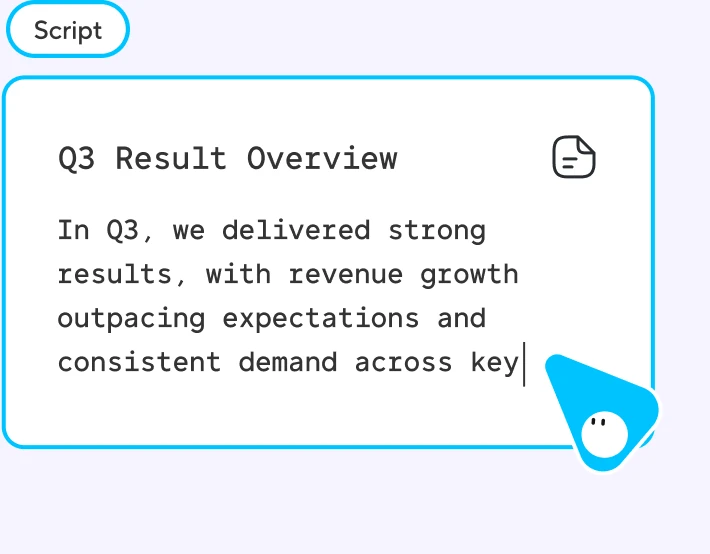
Synthesia builds avatar-led videos you edit like a document, starting from text, PowerPoint or PDF. Its learning and development page highlights localization, embeds that pick up updates and a screen recorder, so a procedure can mix a presenter with captured screens.
Credits are shared across different outputs, so the 12 and 60 minute figures are estimates, not a count of finished videos. Starter removes the logo from downloads; Pro adds interactive video and five guests. Each plan has one editor, and guests do not edit. These paid-credit estimates come on top of the free allowance; video, dubbing and other features draw on shared credits.
The main limit for LMS users: SCORM export sits on Enterprise, not on Starter at 29 USD. Voices in many languages differ from one-click translation, also Enterprise. Roleplay learner seats cost 29 USD per learner each month, but that does not mean every viewer needs one.
HeyGen
HeyGen: SCORM and quizzes on a published Business price
HeyGen’s learning and development page covers PowerPoint and PDF import, editable templates, screen recording and localized training, with updates made without a reshoot. The 30 and 60 minute figures are maximums per video. Generation remains subject to the credits and terms of the selected plan.
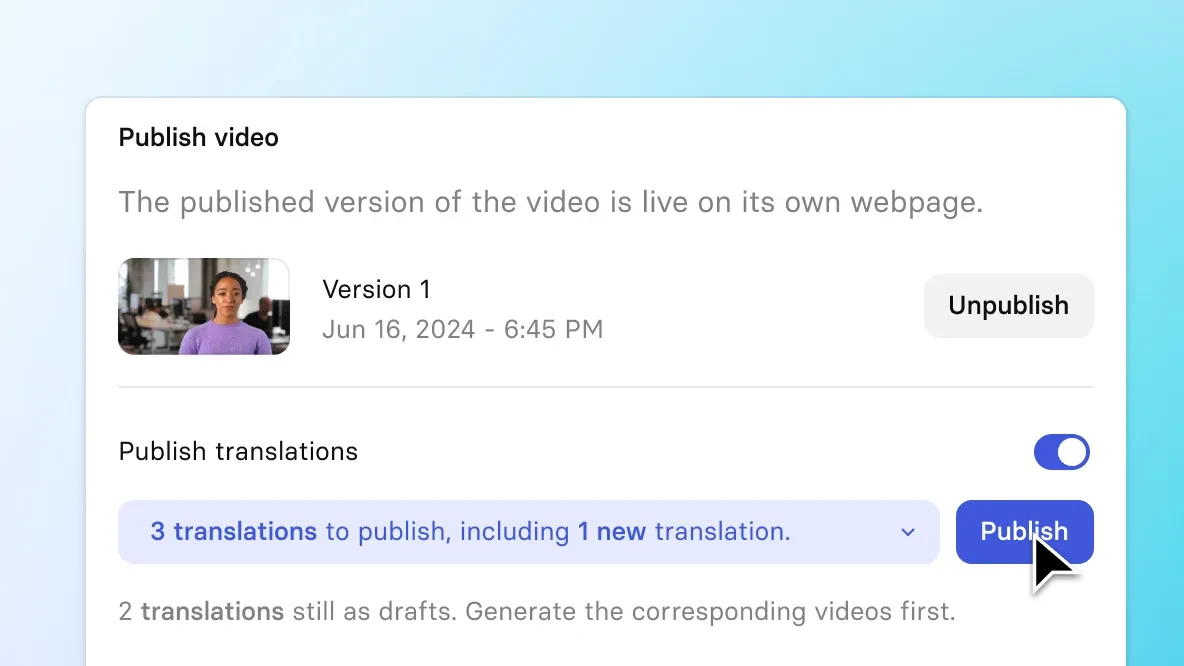
Business at 149 USD a month is where training features gather: interactive quizzes and links, SCORM/LMS output, workspace collaboration with draft comments and SAML single sign-on. Each additional user adds 20 USD a month, which quickly changes the budget for a team of reviewers.
Paid plans cover more than 175 languages and dialects, and you can review translations for terminology and pronunciation. That review matters: the tool does not guarantee quality, so a native speaker should check product names, regulated wording and any instruction a learner will act on.
Choose the format by the job
One tool rarely covers every module. Start from what the learner must do afterwards. A standard operating procedure (SOP) records how a task is performed. A learning management system (LMS) delivers and tracks training.
- Real software steps: use a screen recording (Ngram, Guidde or the recorder inside Synthesia or HeyGen). A generated interface can drift from the product people actually click.
- Welcome messages and policies: an avatar presenter works when the content is spoken explanation, edited from a script and easy to refresh when the policy changes.
- Scored or branching courses: when you need a pass mark, branching and tracking, think authoring tool plus LMS, and check SCORM on the exact plan you will pay for.
Budget in finished minutes, not credits
Take a realistic library: 10 modules of 3 minutes in 3 languages, or 90 finished minutes before corrections. Each provider counts that differently.
- Guidde Business for 3 creators on annual billing: 3 × 39 = 117 USD a month equivalent, 1,404 USD a year, without the Enterprise SCORM and translation features.
- Colossyan Professional with 3 editors: 89 + 2 × 45 = 179 USD monthly, or 59 + 2 × 30 = 119 USD a month on annual billing (1,428 USD a year). Check SCORM quotas; do not assume they multiply per editor.
- Ngram: 10 minutes of premium generation is 600 seconds × 10 credits = 6,000 credits, beyond the 3,000 of Basic. That excludes revisions, so treat it as a floor, not a production estimate.
Run a small pilot before you commit
A short pilot on your own material says more than a feature list. Keep it small and write down what happens.
- Build three modules: one captured software task, one policy and one welcome, in two languages. Approve facts and script before generation, then check captions and pronunciation.
- Change one step of a procedure and record how long the rework takes. Then upload to your LMS on the plan you would actually buy and test completion, success and resume.
- Release each module with a named owner, a version and a review date, and keep the source (SOP, script, recording) so the next update does not start from scratch.
Keep people and AI in their lanes
Video tools save recording time. They do not replace the people who explain, coach and answer.
- Use the time saved so the owner or team can coach people, answer real questions and build client relationships. An avatar cannot ensure that anyone understood.
- ChatGPT or Claude can turn an approved SOP into a script or quiz draft; a person still reviews the facts. Codex or Claude Code can help developers automate publishing or validation where the vendor documents an API, not through invented native integrations.
- Measure task completion, errors and the questions people still ask after the module, not just views. That tells you whether to fix the video, the procedure or the onboarding itself.
FAQ
Which AI training video tool is best for beginners?
It depends on the task. For software steps, a capture tool like Guidde or Ngram is the easiest start, because you simply perform the task. For a spoken welcome or policy, Synthesia or HeyGen templates save you from building scenes.
What is the highest rated AI video generator?
The G2 ratings for all five tools appear in the table above. They reflect overall user satisfaction, not training effectiveness, so the highest rated tool is not automatically the best fit for your modules, your LMS or your budget.
What is the difference between SCORM and an MP4 export?
An MP4 contains video, not a SCORM tracking package. Its tracking depends on the hosting player and LMS. SCORM can communicate completion, scores and resume state when supported and configured. Test those signals in your own learning management system (LMS).
Can I export training videos on a free plan?
Usually with limits. Ngram’s free plan allows public sharing but downloads are paid, Guidde requires a paid plan for MP4, and Colossyan Starter adds a watermark and has no SCORM. Check export rights before building a library on a free tier.
How much should a small team budget?
Start from finished minutes. Ten 3-minute modules in three languages is 90 minutes before corrections. With 3 creators, Guidde Business annual costs 1,404 USD a year and Colossyan Professional annual 1,428 USD, before any Enterprise features.
Can I trust automatic translation for training?
Use it as a first draft. HeyGen lets you review terminology and pronunciation but does not guarantee quality, and several vendors keep one-click translation for Enterprise. Have a fluent colleague check product names and instructions people will act on.
Can ChatGPT or Claude make the training video?
They help before the video: turning an approved SOP into a script, a quiz draft or plainer wording. Recording, avatars, export and LMS delivery still happen in a video tool, and someone must check every fact.
How do I keep videos current when a procedure changes?
Keep the source SOP and script, give each module an owner and a review date, and prefer tools that update single scenes, like Ngram. With Colossyan, dynamic SCORM is still on the roadmap, so plan to re-export and re-upload.
Sources · 19/10/2026
Prices, plan limits and illustrations: official publisher pages, checked 19 October 2026. G2 ratings reflect general user satisfaction. Confirm the plan and LMS compatibility for your intended use.
Related guides
Looking at avatar video more broadly, or comparing generators for marketing rather than training?
 7 Best AI Video Generators in 2026
 Best AI Productivity Tools in 2026: ClickUp vs Notion AI vs Motion vs Reclaim.ai
 Best AI No-Code Automation Tools in 2026: Make vs Zapier vs n8n vs Activepieces
Find the best AI tool
215 tools listed with features and pricing. Find the one that fits your needs.