










Every AI logo generator on this page will make you a logo in about ninety seconds. That is not where they differ. They differ at the end, when you click Download and find out what you actually get to keep, and what it costs. So that is the question this guide is built on: what does it take to walk away with a vector file you can hand to a printer, a sign maker or a web developer?
We checked eight tools on 14 September 2026, copying prices from the pages as displayed rather than from memory. Across those eight, two hand you a vector file without a payment: Design.com and Wix Logo Maker. At five of the other six the vector file is precisely where the paywall sits, which is why so many products are marketed as a free logo maker and still leave you with a PNG you cannot scale. The sixth, Adobe Express, gives you an SVG for nothing but only by vectorising a bitmap you have already exported, which is not the same file.
One currency note, because it matters when you compare the numbers below. Design.com, Logo.com and Adobe Express served euros from a French IP address. Looka, Brandmark, Canva and Wix served dollars. We copied each amount in the currency it was shown in and did not convert anything, so a euro figure next to a dollar figure is a difference in what the vendor displays, not a conversion we performed.
Design.com for source files at zero cost: its free pack delivered SVG, EPS and PDF, with no watermark on the file we opened. Wix Logo Maker if you want a free SVG without a checkout screen. Brandmark for a one-time 35 USD that includes vector, the lowest such price among the eight tools we checked on 14 September 2026. Logo.com for a free PNG that carries full commercial use. Looka to own a full file set for a single 72 USD payment. Canva and Adobe Express when the logo is one asset inside a wider design workflow. Tailor Brands if you are forming a company at the same time as the logo.
How we picked these tools
AI Hunter tests and compares 150+ AI tools. This selection rests on 5 objective criteria, cross-checked against independent review platforms (G2, Capterra, Trustpilot, Product Hunt).
- 1 Use case fit : the tool delivers on the listicle's promise (not a marketing bait-and-switch).
- 2 Verified third-party reviews : average score ≥ 4/5 on G2 or Capterra with a meaningful sample (50+ reviews).
- 3 Pricing transparency : public pricing, free plan or trial, no hidden commitments.
- 4 Market traction : used in production by real teams, active community, responsive support.
- 5 Product maturity : regular 2025-2026 releases, documented team, public roadmap.
Tools we have an affiliate relationship with are disclosed. Our ranking is not influenced by commissions, see our editorial ethics.
How we ranked them
One criterion decides the order, and it is stated up front so you can disagree with it: what it costs, in the first year, to walk away with a usable vector file, as published on 14 September 2026, and how clearly that cost is published. Lowest first-year cost to vector first, then clearest disclosure.
The first year matters, because these tools do not sell the same thing. Brandmark and Looka charge once and you own the files. Logo.com, Canva and Wix are subscriptions, cheap in year one and recurring after it. So Logo.com sits ahead of Looka here on 31.08 EUR against 72 USD, and the order would flip over three years. If you only ever want one logo and never want to think about it again, read the one-time prices first.
That criterion puts Design.com and Wix at the top because they charge nothing for vector output, Brandmark next at 35 USD paid once, then Logo.com, Looka, Canva and Adobe Express in ascending order of what the vector costs in year one, and Tailor Brands last because it does not publish the price of its logo plan anywhere we could find. None of these tools is bad. Several of them are better than the top two at things this criterion does not measure, and each entry below says which.
1. Design.com: Best overall for a complete brand kit
One fact puts Design.com first, and it is a fact we verified by downloading the files and opening them. Its free Standard Logo Pack delivers JPG, PNG, SVG, EPS and PDF, on a solid or transparent background, with or without margin, plus Icon Only, Text Only and Greyscale variants. The file we opened carried no watermark, the gradient survived intact, and the logo was fully usable. At five of the other seven tools in this panel, a vector file is the thing you pay for. Wix gives it away too, and Adobe Express is a separate case covered below.
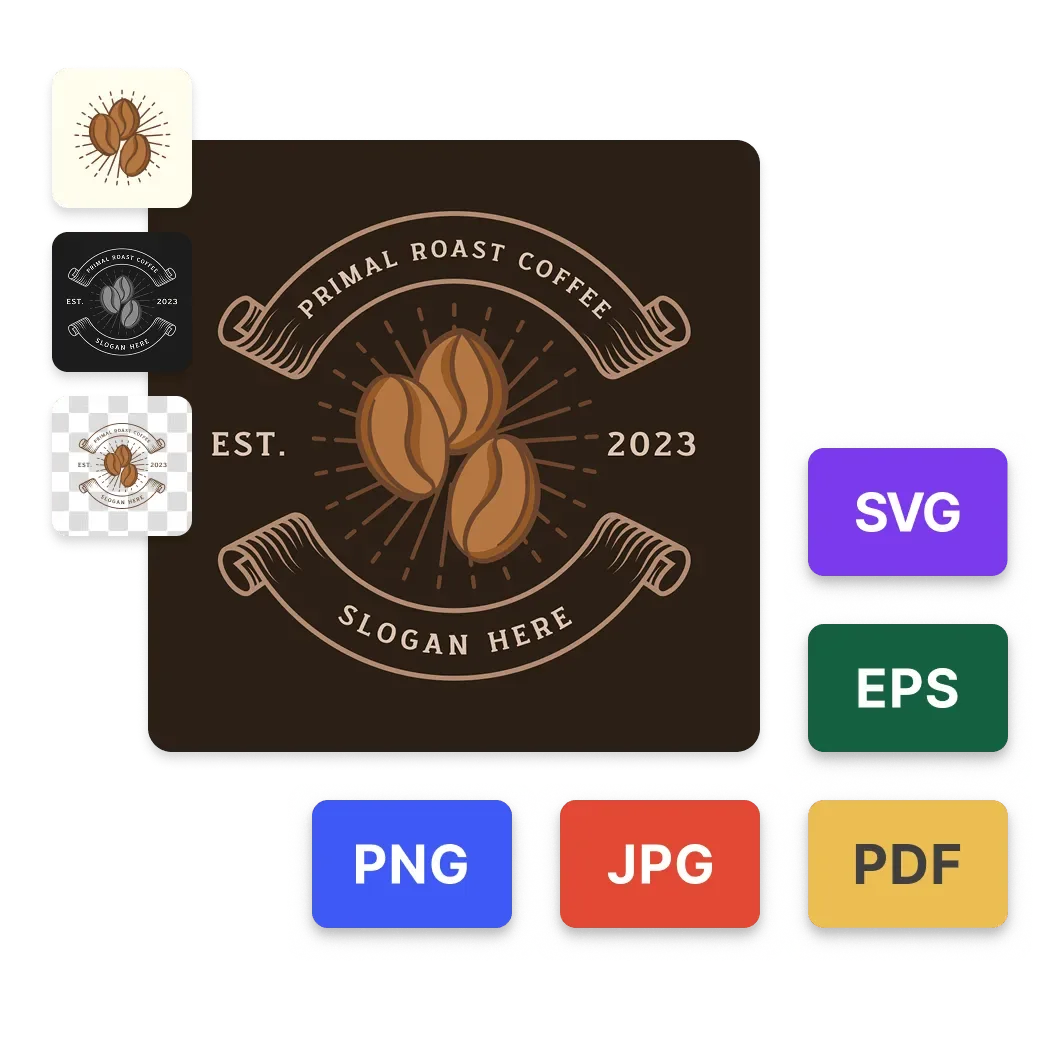
Illustration published by Design.com. It matches the pack we downloaded on 9 September 2026, format for format.
That is the whole case for first place. It is not a claim that the others are weak, it is a claim that if your priority is leaving with the source files, this is the shortest route to them.
Two things the vendor puts forward matter once the logo exists, and they are worth repeating with the attribution attached. Design.com states that every generated logo carries a licence for worldwide commercial use, with extended and exclusive licences available on top, and that each logo passes a manual IP review before it enters the library. It also advertises 500 fonts exclusive to the platform, paired automatically, and unlimited edits to colours, fonts and layout after the fact. Those are the company’s claims rather than our measurements, but they describe the part of a logo purchase that usually goes wrong six months later, when you need the file bigger, in another colour, or defensible.
The brand kit around the logo is real too. Templates across the platform (presentations, business cards, social posts, brochures) are rendered automatically in your brand’s logo, colours and typography with no configuration step at all. We saw templates arrive already carrying a logo created on the platform the day before. That is the part most AI logo maker tools charge for as a separate brand kit.
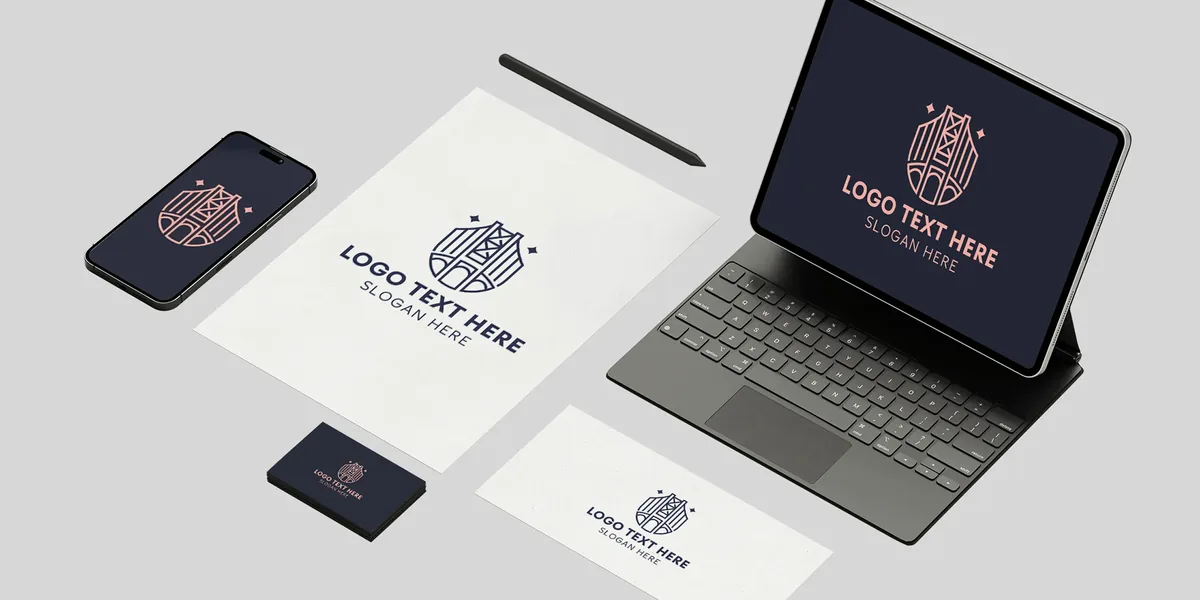
Illustration published by Design.com, showing one identity carried across the platform’s templates.
Design.com
Create a logo and roll it out across your brand assets
The free Standard Logo Pack really does hand over the vector files (SVG, EPS, PDF), and the file we opened carried no watermark
Getting the files: what the route looks like
We ran the download to the end on 9 September 2026. Searching and generating logos needs no account whatsoever, and some results carry a FREE badge. An email address (or Google, or Facebook) is required the moment you want to edit or download, including on a logo badged FREE, and the free pack is one of the options on the packages screen rather than the default. A series of optional offers follows the order, each of them skippable, and the download screen then delivers the full pack.
A practical note on pricing: the grid is served at checkout rather than on a public page, so /pricing, /plans and /maker/pricing all return 404. At checkout we recorded a Premium Account at 5.00 EUR per month billed monthly, or 3.00 EUR per month billed annually, taken as a single 36.00 EUR charge. Payment by card (Visa, Mastercard, Amex) or PayPal.
Best for: anyone who wants the finished source files, in every format, without paying for them. Worth knowing: you can search, generate and preview anonymously, and the account is only asked for at the download step. That is later than Wix, which puts the sign-in at step 2, before anything is generated. The paid grid, on the other hand, appears only at checkout.
2. Wix Logo Maker (Wixel): Best free vector without a checkout
Wix is the other tool in this panel that gives you vector output at no cost, and it says so in writing on its own page: “Download your custom logo in high-resolution, vector format for free. You’ll receive sharp files, including PNGs and SVGs, that are ready to use wherever you need them.” The pricing grid backs that up, listing “Downloads in any quality and format” on every row, Free included. There is no order screen and no upsell funnel between you and the file.
The price of that simplicity is metered. The free plan runs on 120 AI credits per month, capped at 30 per day, which the page translates as up to 20 logos. AI adjustments consume credits, though manual changes to layout, colours and fonts are free. Paid tiers buy more credits: Basic at 90 USD per year, Pro at 290 USD per year, Max at 590 USD per year. The monthly equivalents exist (the page says you can pay monthly or yearly) but the amounts were not rendered in the version we read, so we are not going to guess them.
The wall here also falls earlier than anywhere else in this panel. Wix’s own published flow puts “Sign in or create a free Wixel account” at step 2, before you generate anything. Design.com lets you generate and preview as an anonymous visitor and only stops you at the download. Which of those you prefer is a genuine matter of taste.
On rights, the page states that the library icons and fonts are licensed for commercial use, and does not tie that sentence to a paid plan.
Best for: getting a free SVG with the least friction, if a monthly credit quota and an upfront account are acceptable. The honest tradeoff: account before generation, and an AI credit budget that caps how much you can iterate.
Design.com vs Looka: same business model, different endings
These two run the identical funnel logic, free to create and pay at the end, so they are the cleanest head-to-head in the category.
| Design.com | Looka | |
|---|---|---|
| Create and preview | Free, no account | Free, “It’s totally free to make logos. Only pay when you’re happy!” |
| Price of a full vector set | 0 EUR, Standard Logo Pack | 72 USD one-time, Premium Logo Package |
| Formats in that set | JPG, PNG, SVG, EPS, PDF | PNG, EPS, SVG, PDF |
| Prices published before checkout | At checkout only | Yes, a public pricing page |
| Between you and the file | An account at the download step, and a checkout where the free pack is one option among others | A single payment |
Looka charges 72 USD for what Design.com gives away, and in exchange it publishes its price from the start rather than only at checkout. If your time is worth more than 72 USD, that is a defensible purchase, not a rip-off.
Choose on what you are short of. Short of money: Design.com or Wix. Short of patience: Looka or Brandmark, where the price is published and the path is one payment. Short of nothing in particular and already living inside a design suite: Canva or Adobe Express.
3. Brandmark: Best one-time price with no account to try
Brandmark publishes its whole price list on one public page, with no plan hidden behind an editor. Three tiers, all one-time: Basic 35 USD, Designer 95 USD, Enterprise 195 USD, under a heading that reads “Buy it for life / One simple price” and a line that says “No monthly charges / Pay once, get access to our branding tools forever.” No subscription anywhere.
Vector is included from the entry tier: the Basic pack is described as “Logo files in PNG and vector format”, and Designer adds source files. The page does not say whether that vector is SVG, EPS or both, so we are leaving that cell unresolved rather than filling it in.
It is also explicit about letting you look around before signing up: “Try Brandmark for free, no account needed”, with unlimited free generation. Nothing is downloadable for free, so the wall is at the file, not at the door. Commercial rights come with the purchase, described as “Full copyright included / For use in commercial and personal projects”.
Best for: paying once, owning it, and not creating an account until you have decided. The honest tradeoff: nothing usable leaves the site without the 35 USD, and the exact vector format is not published.
4. Logo.com: Best free tier for a PNG you can legally use
Logo.com’s free tier is narrower than Design.com’s or Wix’s and clearer than most. You get one logo, savable and editable, and PNG only across all four file lines (colour, greyscale, transparent, transparent greyscale), with 100 MB of storage. No watermark is mentioned on the page.
What makes it worth a place here is the rights column. Full commercial use is ticked on all three plans, Free included, which we confirmed in the served HTML rather than taking from a marketing paragraph. A free PNG you are actually licensed to put on a storefront is more useful than a free file whose terms are unclear.
The vector file is the paid trigger, and it is priced in the open: the Brand Plan at 2.59 EUR per month billed yearly, shown on the page as 31.08 EUR charged for the first year, against a monthly price of 12.93 EUR. Those are the amounts the pricing page served to a French IP address on 14 September 2026, read in a browser. That plan lists “250 high-res logo files to download” and “42 vector logo files (SVG and AI)”. There is no option to buy a single SVG on its own. A Business plan sits above it and Enterprise is quoted as tailored, displayed as “$500+”.
Where the account wall falls is not stated on the plans page, and we did not create an account, so that cell stays empty.
Best for: a free, legally usable PNG, and a clearly priced upgrade if the vector becomes necessary later. The honest tradeoff: one logo on the free tier, and a subscription rather than a one-time purchase for the vector.
5. Looka: Best for buying a full file set outright
Looka’s pricing was the hardest thing in this research to read, and not for the reason you would expect. The whole domain returns HTTP 403 behind a Cloudflare challenge to anything that is not a browser, including text-extraction proxies, so automated checks see nothing. Opened in Chrome on 14 September 2026 the page served normally. The prices are public, they are simply invisible to machines.
Four options, and the gap between the first two is the important one:
- Basic Logo Package, 35 USD one-time: a single low-resolution PNG file.
- Premium Logo Package, 72 USD one-time: PNG, EPS, SVG and PDF, colour variants, transparent background, unlimited changes after purchase, full ownership.
- Brand Kit Subscription, 96 USD per year, billed annually: high-resolution and vector files, unlimited changes, 300+ assets, and ownership kept after cancellation.
- Brand Kit Web, 129 USD per year: the same plus a website.
The 35 USD tier is the one to watch. It is the same headline number as Brandmark’s entry price and it buys considerably less: one low-resolution PNG against a pack including vector. If you are buying from Looka and you want files that scale, the relevant number is 72 USD.
Creation is free and explicitly so: “It’s totally free to make logos. Only pay when you’re happy!” Where exactly the account wall falls during that flow was not recorded on the page we read, so we are not going to state it.
Best for: a single payment that leaves you owning a complete file set, with the price known before you start. The honest tradeoff: the entry package is a low-resolution PNG, and nothing usable is free.
6. Canva: Best when the logo is one asset among many
Canva belongs in this comparison for a different reason from the rest of the list. It is not a logo product, it is a design suite in which a logo happens to be one document, and its pull is that the logo lands in the same workspace as the deck, the social posts and the packaging.
On the criterion of this guide it sits low, and the documentation is unambiguous about why. SVG export is a paid feature: “These download options include bulk downloading, downloading a compressed file, downloading with a transparent background, downloading your design as an SVG, and many others”, restricted to Pro, Teams, Business, Education and Nonprofit accounts. A second help page confirms transparent PNGs are in the same bucket. Canva Pro is displayed at 144 USD per year for one person, with Business at 250 USD per year per person and Free at 0 USD. The monthly figure exists behind a toggle but was not rendered in the HTML we retrieved, so it is not in our table.
The free tier still downloads in JPG, PNG and PDF. The watermark rule is worth reading carefully before you build a logo out of stock elements: “If you’re asked to pay before downloading a design, your design might have premium or Pro elements. If you’re using Canva for free, you can either purchase a Pro Content license, upgrade to a paid plan, or download a watermarked draft.” A logo assembled from premium elements is therefore not free in any usable form.
Best for: teams already working in Canva, where the logo is one file in a much larger design system. The honest tradeoff: at 144 USD per year, the most expensive route to a vector file among the prices we could read on 14 September 2026, and a watermark risk if you use premium elements.
7. Adobe Express: Best free library around the logo
Adobe Express has a wide free tier on everything except the file you came for: 100,000+ static and video templates, 1M+ royalty-free Adobe Stock photos, videos, music and design elements, 4,000+ fonts, 5 GB of storage, and exports in JPEG, PNG, PDF, GIF and PPT. Premium is 11,99 EUR per month including VAT on the page as served to a French IP. No dollar amount was served to us, so we are not publishing one.
The vector question needs care, because two Adobe pages appear to contradict each other and the resolution is more interesting than either. The pricing page lists the free plan’s exports as JPEG, PNG, PDF, GIF and PPT, with no SVG. A separate page offers a free SVG converter: “Convert your image to an SVG for free”, “Free to use”, “No credit card required”. Adobe’s own recommended method for a design made in Express is telling: “Working on a design project you love? Download it to your device as a JPG or PNG file, then use the SVG converter to transform it.”
In other words the SVG is obtained by vectorising a bitmap you already exported, not by exporting the project as vector. That is not the same product as a clean source file, and a logo that has been round-tripped through rasterisation is not what a printer wants. We are counting this as available but indirect, which is why Adobe Express sits here and not alongside Wix.
On rights, the pricing page states that users “may use outputs from generative AI features commercially”, with an exception for certain beta features restricted to personal use. The page does not distinguish Free from Premium on that point.
Best for: everything that surrounds a logo, on a free plan that is genuinely generous. The honest tradeoff: no native vector export of the project, only a converter applied to an exported bitmap.
8. Tailor Brands: Best if you are forming a company at the same time
Tailor Brands comes last on this guide’s criterion for one reason, and it is a finding rather than a complaint: the price of its logo plan is not published anywhere we could reach.
Here is what we tried on 14 September 2026. Both /pricing and /product-pricing serve the LLC formation grid, not a logo grid: Lite at “$0 *Plus state fees”, Essential at “$199/yr *Plus state fees”, Elite at “$249/yr *Plus state fees”, with logos appearing only as a bonus line (8 free logos, struck through on the first two columns, active on the third). The URLs /logo-maker/pricing and /pricing-logo both resolve to that same LLC page. /plans returns 404. The pricing page on the studio subdomain answers HTTP 200 but serves an empty JavaScript shell with no text in it at all. The logo price is visible only inside the editor, after you have made a logo.
What the logo-maker page does state plainly is that the vector costs money, in an unusually candid FAQ answer: “You can make a logo for free and download a low-resolution version. However, if you want a high-res Vector file, you will need to pay. But, only if you are 100% happy!” The paid formats are listed as “Vector EPS, SVG, and PNG logo files” and “Vector EPS, SVG with a transparent background”. The format of the free low-resolution version is not specified, and no watermark is mentioned. An account is required to download: “Simply go to your design studio dashboard in your Tailor Brands account and download.”
The positioning explains the pricing pages. Tailor Brands sells business formation, and the logo is the doorway. If you are registering an LLC anyway, that bundle may be exactly what you want, and the 199 USD or 249 USD annual figures are published clearly. If you only want a logo, you will find out what it costs after you have made one.
Best for: founders forming a company and getting branding in the same flow. The honest tradeoff: you cannot compare the logo price against this table before starting, because it is not published.
What “free logo maker” actually means, tool by tool
The phrase covers at least four different arrangements in this panel, which is why comparing on the word “free” tells you nothing:
- Free to create, free to download, vector included: Design.com (after an account) and Wix Logo Maker (after an account, within an AI credit quota).
- Free to create, free to download, raster only: Logo.com (one logo, PNG only, full commercial use) and Canva (JPG, PNG, PDF, watermarked if premium elements are used). Tailor Brands belongs here too, with a low-resolution file of unstated format.
- Free to create, nothing free to download: Looka and Brandmark. Both are explicit about it, and both put the price on a public page.
- Free to create, vector only via a detour: Adobe Express, where the SVG comes from a converter applied to an exported PNG or JPG.
Comparison table
All figures below were read on 14 September 2026, in the currency each vendor displayed. Empty cells are written “not published”, which in this category is itself a finding: two of the eight publish no price at all for their logo plan, and on five more at least one thing you need before you start was missing from the pages we read.
| Tool | Entry price (14 Sep 2026) | Vector file | What the free tier actually hands you | Account wall |
|---|---|---|---|---|
| Design.com | Free pack; Premium Account 5.00 EUR/mo monthly or 3.00 EUR/mo billed annually (36.00 EUR in one charge). Grid served at checkout, not published on a public page | Free, in the Standard Logo Pack | JPG, PNG, SVG, EPS, PDF, solid or transparent background, with or without margin, Icon Only / Text Only / Greyscale. No watermark on the file we opened | Email, Google or Facebook required to edit or download, then a checkout where the paid plan is preselected |
| Wix Logo Maker (Wixel) | Free; Basic 90 USD/yr, Pro 290 USD/yr, Max 590 USD/yr (monthly amounts not published on the page read) | Free, SVG listed on the Free row | SVG and PNG at no cost, capped at 120 AI credits/month (max 30/day), stated as up to 20 logos. Commercial use stated for library icons and fonts | Account required before generation, step 2 of their own flow |
| Brandmark | 35 USD one-time (Designer 95, Enterprise 195). No subscription | Included from the 35 USD tier, “PNG and vector format”. Exact format not published | Unlimited free generation, no free download | None to generate (“no account needed”); wall is at download |
| Logo.com | Brand Plan 2.59 EUR/mo billed yearly (31.08 EUR for the first year), 12.93 EUR/mo otherwise; Business 8.66 EUR/mo billed yearly; Enterprise “$500+“ | Paid. Brand Plan lists “42 vector logo files (SVG and AI)“ | 1 logo, PNG only on all four file lines, 100 MB storage, Full commercial use ticked on the Free column | Not published on the plans page |
| Looka | Basic 35 USD one-time; Premium 72 USD one-time; Brand Kit 96 USD/yr; Brand Kit Web 129 USD/yr | Paid. 72 USD one-time buys PNG, EPS, SVG, PDF | Creation and preview free, no free file: “It’s totally free to make logos. Only pay when you’re happy!” | Not recorded on the page read |
| Canva | Pro 144 USD/yr per person; Business 250 USD/yr per person (monthly amounts not published in the HTML served) | Paid, restricted to Pro, Teams, Business, Education, Nonprofit | JPG, PNG, PDF. No SVG, no transparent PNG. A design using premium elements downloads as a watermarked draft | Not published on the pages read |
| Adobe Express | Premium 11,99 EUR/mo incl. VAT (no USD amount served to us) | Free but indirect: SVG via their converter applied to an exported PNG or JPG, not a native vector export | 100,000+ templates, 1M+ stock assets, 4,000+ fonts, 5 GB storage, export in JPEG, PNG, PDF, GIF, PPT | Not published on the pages read |
| Tailor Brands | Not published. Both pricing URLs serve the LLC grid (Lite 0 USD plus state fees, Essential 199 USD/yr, Elite 249 USD/yr); /plans is a 404, studio pricing is an empty shell | Paid: “if you want a high-res Vector file, you will need to pay”. Price not published | A low-resolution download, format not published, no watermark mentioned | Account required to download |
Frequently asked questions
What is the best AI logo generator in 2026? It depends on what you need to leave with. If you want the finished source files, Design.com is our top pick: its free Standard Logo Pack really did deliver JPG, PNG, SVG, EPS and PDF, with no watermark on the file we opened on 9 September 2026. If you would rather avoid a checkout screen entirely, Wix Logo Maker publishes SVG downloads on its free plan, capped by monthly AI credits. If you want to own the files outright for a single payment, Brandmark starts at 35 USD one-time and Looka’s Premium Logo Package is 72 USD one-time.
Can I get a free logo with an SVG file? Yes, at two of the eight tools we checked on 14 September 2026. Design.com’s free Standard Logo Pack includes SVG and EPS alongside JPG, PNG and PDF, and Wix Logo Maker states in writing that you can download your logo in vector format at no cost. At five of the six others the vector file is the moment you pay: 72 USD one-time at Looka, 31.08 EUR for the first year at Logo.com, a Pro plan at 144 USD per year at Canva, an unpublished price at Tailor Brands, and 35 USD one-time at Brandmark. Adobe Express is the sixth and sits apart: its converter will vectorise a bitmap you have already exported, which is not a native vector export.
Which AI logo makers make you pay for the vector file? Looka (Premium Logo Package, 72 USD one-time), Logo.com (Brand Plan, 31.08 EUR for the first year, which lists 42 vector files in SVG and AI), Canva (SVG export is restricted to Pro, Teams, Business, Education and Nonprofit plans, Pro at 144 USD per year), Brandmark (vector is included but from the 35 USD one-time tier, there is no free download) and Tailor Brands, whose logo-maker FAQ says plainly that a high-resolution vector file has to be paid for, without publishing the price. Checked 14 September 2026.
Is Design.com really free? Yes for the files themselves. We downloaded the free Standard Logo Pack on 9 September 2026 and opened it: JPG, PNG, SVG, EPS and PDF, solid or transparent background, Icon Only, Text Only and Greyscale variants, no watermark. What it takes to get there is an account and a checkout where the free pack has to be selected actively, since the paid plan is preselected, followed by a series of optional offers you can skip.
Do I need an account to download a logo? At every tool in this panel where we could observe it, yes. Design.com lets you search and generate with no account at all, then asks for an email, Google or Facebook login the moment you edit or download, including on a logo badged FREE. Wix Logo Maker puts the account earlier still, at step 2 of its own published flow, before generation. Brandmark states no account is needed to generate, and places its wall at download. Tailor Brands requires an account to download. Logo.com, Canva and Adobe Express do not publish where their account wall falls on the pages we read.
Can I use an AI-generated logo commercially? Read each tool’s own wording rather than assuming. Logo.com ticks Full commercial use in all three plan columns, Free included, which we verified in the served HTML. Wix Logo Maker writes that its library icons and fonts are licensed for commercial use and does not condition that sentence on a paid plan. Brandmark attaches Full copyright to the purchase, not to free generation. Adobe Express states users may use generative AI outputs commercially, with an exception for some beta features. Canva and Tailor Brands do not settle the question on the pages we opened.
Design.com vs Looka: which should I pick? They run the same business model, free to create and pay at the end, with very different endings. Looka is explicit about it: It’s totally free to make logos. Only pay when you’re happy! Its Premium Logo Package at 72 USD one-time buys PNG, EPS, SVG and PDF, colour variants, a transparent background and unlimited changes after purchase. Design.com charges nothing for an equivalent file set, in exchange for creating an account and going through a checkout where the free pack has to be selected actively. Pick Looka if you would rather pay 72 USD once and be done, pick Design.com if you would rather keep the seventy-two dollars.
Does the free plan put a watermark on the logo? Only Canva documents one in this panel, and only in a specific case: a design containing premium elements downloads as a watermarked draft unless you buy a Pro Content license or upgrade. We opened the Design.com free pack ourselves on 9 September 2026 and found no watermark. Looka, Logo.com, Brandmark, Wix Logo Maker, Adobe Express and Tailor Brands do not mention a watermark on the pages we read, which is not the same as confirming there is none.
Related guides
Comparisons and guides covering adjacent topics.

Best AI Presentation Tools in 2026: Gamma vs Beautiful.ai Compared
Design.com, Gamma, Beautiful.ai and Canva AI: comparing the best AI presentation tools in 2026. Features, pricing, design quality and use cases for each platform.

10 Best Free AI Tools in 2026
The best AI tools that are 100% free or have a generous free plan. ChatGPT, Claude, DeepSeek, Stable Diffusion, Fathom and more.
Tools mentioned
Find the best AI tool
108 tools compared, tested and rated. Find the one that fits your needs.



