
Menu

Explore AI your way.

Create content
Get work done
Build and automate
Compare
Guides

Languages

EnglishFrançaisEspañolPortuguêsDeutsch
About & methodology
Updated October 2026
L
Logo Logo Diffusion

Logo Diffusion Pricing, features & alternatives

Generate a logo with AI, edit it and export it as a vector

4.0
Third-party rating
/5 · 12
Free plan Model Freemium

Logo Diffusion is an AI logo generator made by Logo Diffusion Inc., built on its own models trained specifically on logos. You start from a prompt, an uploaded image or a sketch drawn on the canvas, and the same app then handles natural-language editing (Magic Editor), SVG vectorization, background removal, upscaling and mockups, all paid for from one monthly pool of credits. The free plan is for trying the models: 24 credits a month, watermarked downloads at 512x512 and no commercial rights. Paid plans start at $24 a month ($20 a month billed annually).

4.0
/5
Overview

Third-party rating: 4.0/5 (12).

Intended audience: Designers and freelancers who want to generate logo directions, edit them and vectorize them in one tool, and are fine with a credit model rather than a file pack bought once

Try Logo Diffusion

Our test

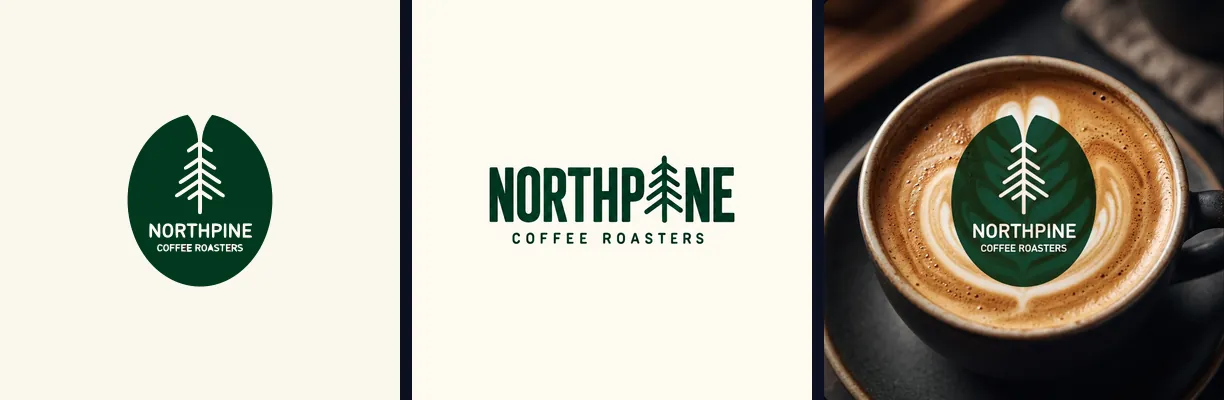
We tested Logo Diffusion on a Pro account on 16 October 2026 by building a full identity for a made-up brand, Northpine Coffee Roasters, from the first prompt to an animated logo. Times and credits as we measured them:

StepTimeCredits
Text to Logo: 4 options from one prompt, brand name spelled right first time64 to 98 s8
4 variations of the chosen logo, medium quality30 to 76 s20
SVG vectorization: 37 real paths, no embedded bitmapunder 15 s5
Mockup on a cappuccino, in 2Kunder 30 s14
5-second animated reveal with sound (first animation)free
Sketch to Logo: a rough sketch drawn on the canvas, one imageunder 25 s8

From prompt to animated logo, the chain cost 47 credits, since the first animation is free. A failed generation is not charged, and every step happens in the same app, without exporting the logo to another tool.

What a logo really costs

Logo Diffusion bills every tool in credits drawn from one shared pool. Basic costs $24 for one month ($20 a month billed yearly) and includes 1,000 credits; Pro, at $49, includes 2,500. The free plan gives 24 credits a month, about 12 logo options, enough to judge the models before paying.

ActionCredits
Text to Logo, one generation (4 options)8
Image to Logo, one generation5
Sketch to Logo, per image8
4 variations, medium quality20
SVG vectorization5 (HQ: 8)
Background removal2
Upscale5 (2x), 20 (4x, from Pro)
Mockup in 2K14
5-second animation in 768p30 (first one free)

In practice, a complete logo like ours (generation, variations, SVG, mockup and a paid animation) takes 77 credits, so one month of Basic covers about a dozen of them, roughly $2 each. For a single project without a subscription, the Starter Pack ($59 one-time, 1,500 credits for 90 days, 6 downloads) also works, but one month of Basic costs less, and your files stay yours after you cancel.

Features of Logo Diffusion

Text to Logo
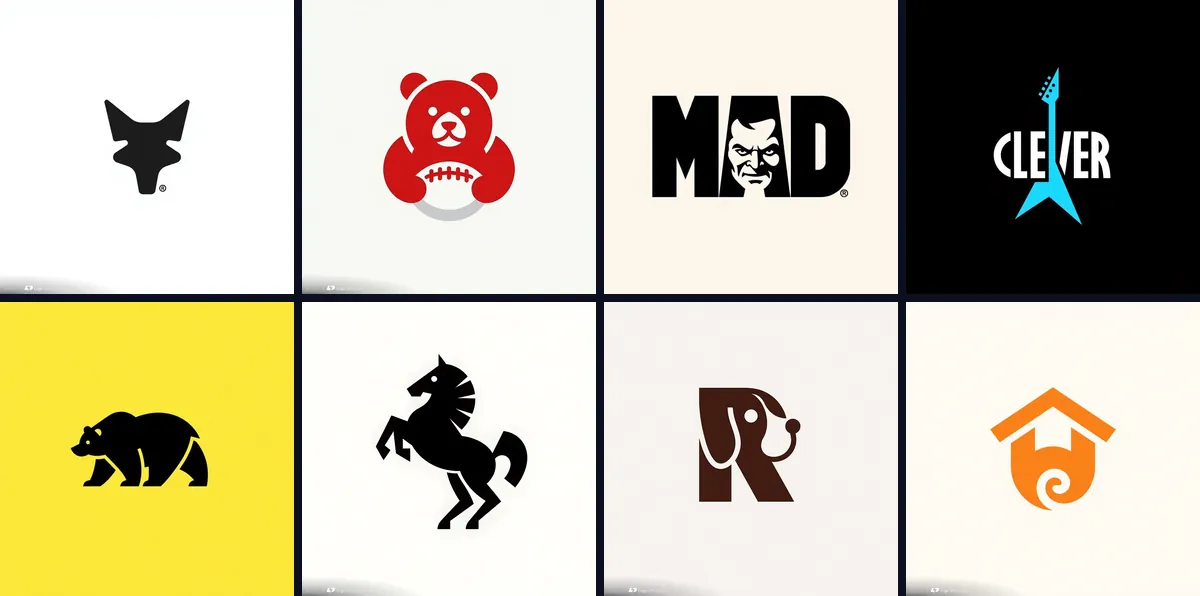
A prompt and one of 11 logo styles (mascot, badge, monogram, line art, engraved and more) or Auto mode; 4 options per generation on paid plans, 2 on the free plan; 2 credits per image, so 8 per generation
Image to Logo
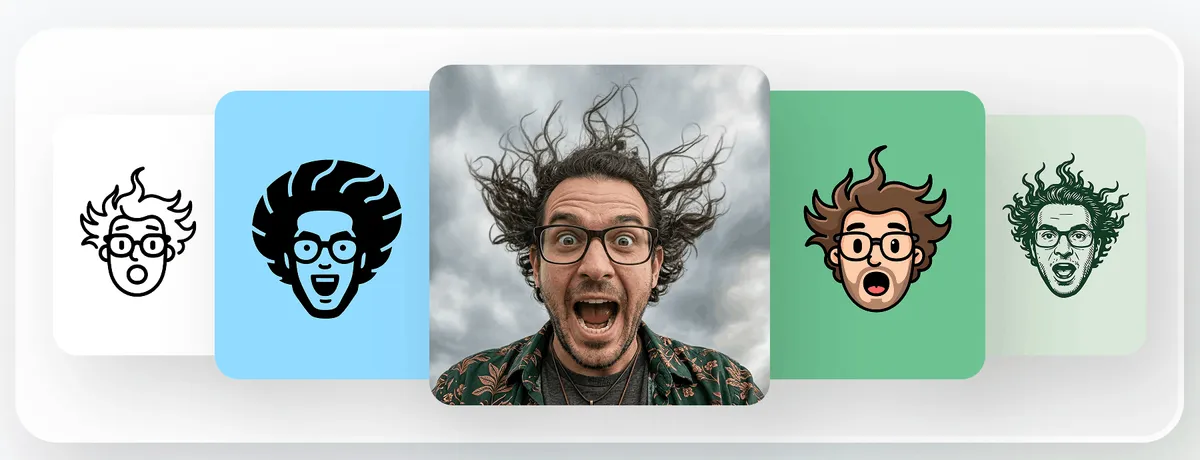
Turns a photo, an image or an existing logo into a logo with no prompt needed: a portrait or a pet becomes a mascot, a line-art face or an engraved mark; 8 styles (3 on the free plan); 5 credits per generation
Sketch to Logo
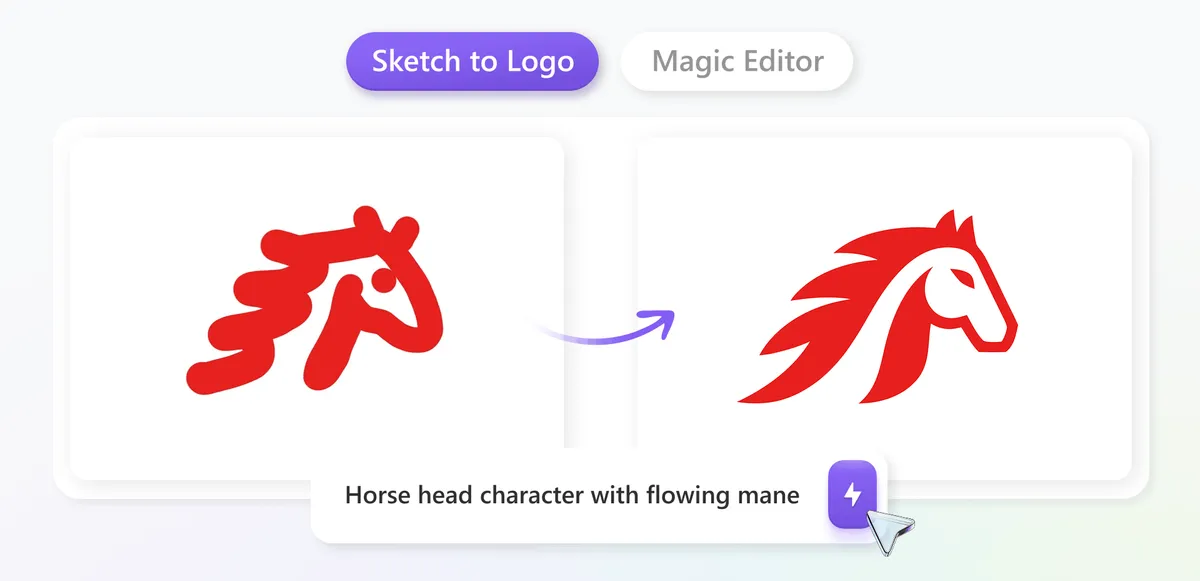
A sketch drawn straight on the canvas with brushes, shapes and fonts, which the AI turns into options; 8 credits per image, with a result in under 25 seconds in our test
Magic Editor
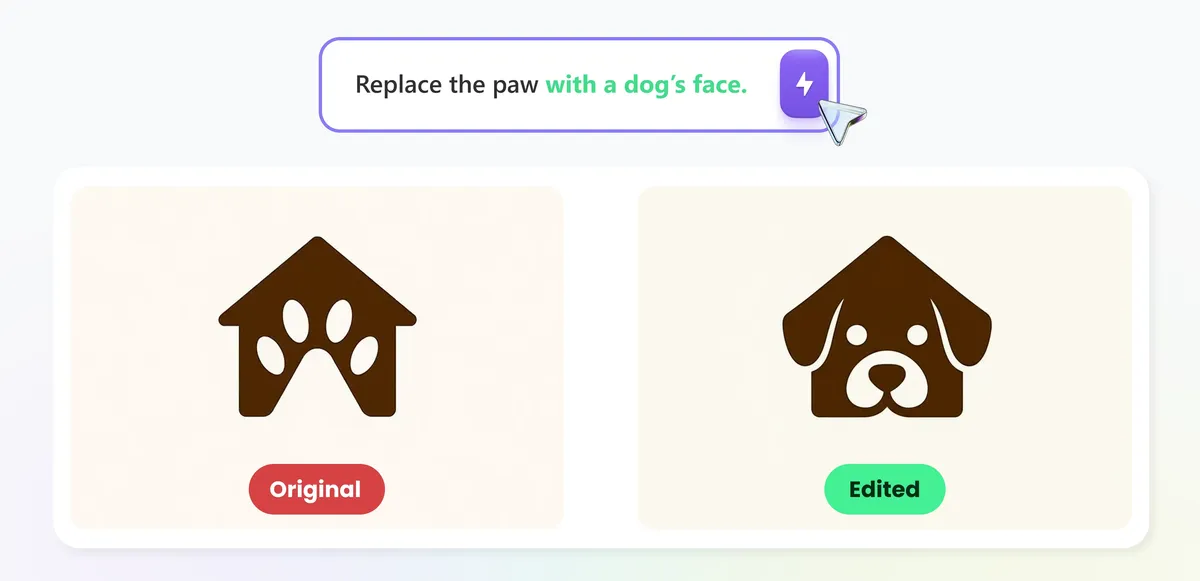
Natural-language editing: change one element (an icon, a word, an accessory) while the rest of the logo stays intact, swap a word while keeping the lettering, create variations, turn a logo into a logo system or an icon set; more than 70 styles and materials
SVG vectorizer
Layered SVG export with real vector paths, gradients kept; 5 credits standard, 8 HQ. On the free plan: 2 a month, standard only; under 15 seconds per file in our test, Stacked SVG in standard, Cut out (every shape separate) in HQ
Background remover
Transparent-background PNG, 2 credits per image, on paid plans
Creative upscaler
2x upscale for 5 credits or 4x for 20 credits; 4x starts on the Pro plan
Mockup generator
65 ready-made templates (apparel, packaging, signage, stationery, products) or a plain prompt: the AI rebuilds the scene around the logo rather than pasting it on a stock photo; 14 credits in 2K, up to 4K
Logo Animation
Turns the logo into a 5-second video with sound, as a reveal or a perfect loop; the first animation is free, then 30 credits in 768p, with an optional upgrade to 1080p or 1440p
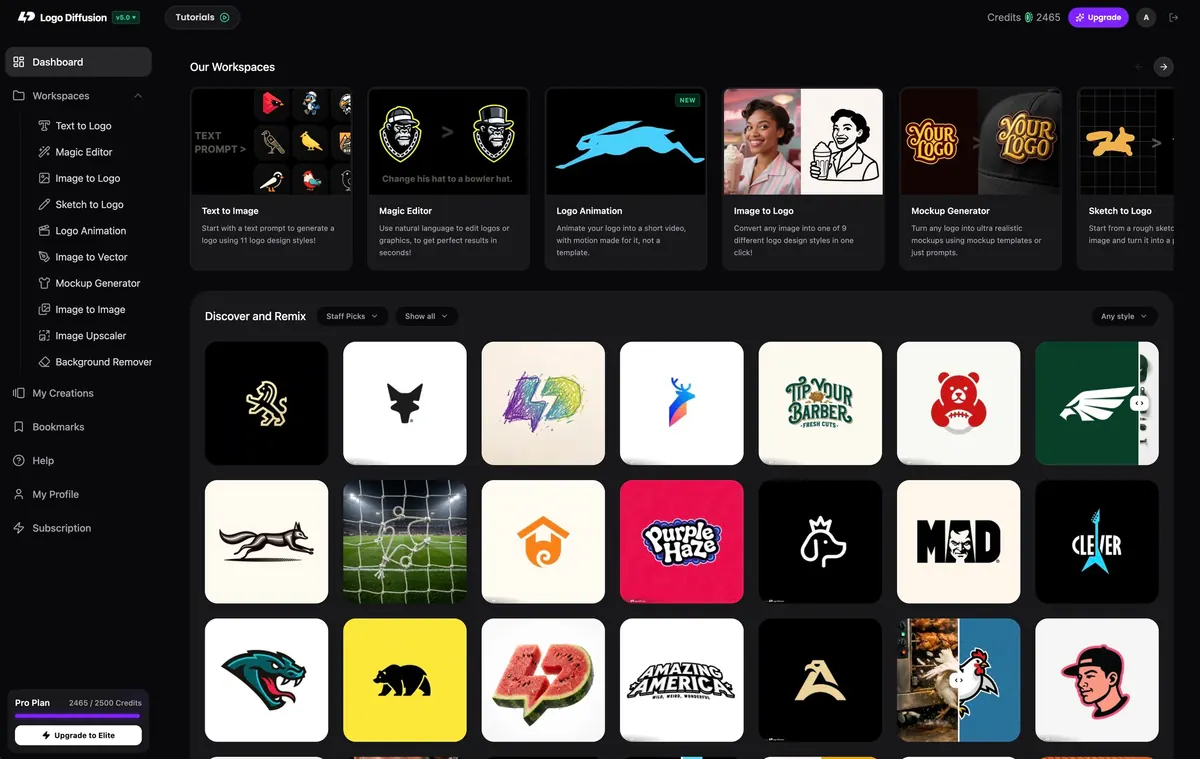
Discover and Remix gallery
Public gallery of more than 4,000 logos, each shown with its prompt, style and colors; Reuse Settings loads those settings into your workspace, and one click sends the logo to variations, Magic Editor, the vectorizer, mockups or animation; it is also where free-plan creations show up

Pros and Cons

Pros

  • Three starting points in the same app: a prompt, an uploaded image or a sketch drawn on the canvas
  • A complete logo in minutes in our test: 4 options in a little over a minute, the brand name spelled correctly on the first try, then vectorized in under 15 seconds
  • From logo to presentation without switching tools: 65 mockup templates and a 5-second animation with sound, the first one free
  • The whole chain fits in one subscription: generation, Magic Editor, vectorizer, background remover, upscaler and mockups all draw on the same credits
  • Public, detailed pricing table, with the credit cost of every tool
  • Free plan with no credit card, to judge the models before paying
  • Commercial license and private generation from the Basic plan
  • Paying customers keep ownership of their creations, even after cancelling or downgrading
  • Starter Pack at $59 one-time (1,500 credits, 6 downloads, valid 90 days) for a one-off project without a subscription
  • A failed generation costs nothing, and you only pay for the images that actually come out
  • 2026 Trustpilot reviews praise the speed of the vector conversion and a support team that quickly fixes billing mistakes

Cons

  • The free plan is for testing the models; client work starts on Basic: watermarked downloads at 512x512, 2 options per generation instead of 4, no commercial rights and a Creative Commons non-commercial attribution license
  • Creations are public and remixable by default; the pricing page lists private generation from Basic, but the terms of service name the Elite plan as the way out of that default: check before a confidential project
  • Employees or owners of a company with more than $1,000,000 in annual gross revenue: owning the creations requires an Elite or Enterprise plan for each person using the tool on the employer's behalf
  • Per-tool limits do not add up: they draw on the same pool, and 200 vectorizations at 5 credits use up the whole 1,000 credits of the Basic plan on their own

Ratings & Reviews

Ratings from 1 source
Platform average:
4.0/5(12 reviews)

Use Cases

Logo directions for a client Vectorizing a logo or a sketch Logo variations and icon sets Presentation mockups

Ready to try Logo Diffusion ?

Generate a logo with AI, edit it and export it as a vector

Start for free

Guides featuring Logo Diffusion

  • Best AI Logo Generators in 2026

    The best AI logo generators compared on one question: what does it cost to walk away with a usable vector file? Design.com, Wix, Logo Diffusion, Brandmark, Logo.com, Looka, Canva, Adobe Express and Tailor Brands, prices checked 14 September 2026 (Logo Diffusion on 15 October 2026).

Frequently Asked Questions

Three questions come up before paying for Logo Diffusion. Is the free plan enough for a real logo: no, it is for testing, with watermarked downloads at 512x512 and no commercial rights. What does the paid tier cost: $24 a month for Basic ($20 a month billed annually), $49 for Pro, $99 for Elite, each plan being a pool of credits shared by every tool. Who owns the logo: the paying customer, even after cancelling, except employees and owners of companies with more than $1,000,000 in annual revenue, who need Elite or Enterprise.

Can you use a Logo Diffusion free-plan logo commercially?
No. The pricing page lists the free plan with "No commercial rights", watermarked downloads at 512x512 and public generations. The terms of service go further: a user who is not on a paid plan does not own what they create, and Logo Diffusion grants them a Creative Commons non-commercial attribution license instead. The free plan's 24 monthly credits (about 12 logos) are for judging the models; commercial use and watermark-free downloads start with the Basic plan.
Can I try Logo Diffusion for free?
Yes, with no credit card. The free plan gives 24 credits a month, and since free generations return 2 options at 2 credits each, that is about 12 logo ideas to test the styles, the Sketch to Logo canvas and two standard vectorizations. Downloads are watermarked at 512x512 and carry no commercial rights, so the free plan is for judging the models; a single month of Basic at $24 unlocks clean files you can use for a client.
How much does Logo Diffusion cost and how do credits work?
Pricing: Basic at $24 a month ($20 a month billed annually) with 1,000 credits, Pro at $49 ($40) with 2,500 credits, Elite at $99 ($82) with 6,000 credits; the annual option is sold as two months free, and Enterprise is quoted on request. Every tool draws on the same credits: 2 per Text to Logo image, so 8 for a standard batch of four, 5 per Image to Logo generation, 5 per vectorization (8 in HQ), 2 per background removal, 5 for a 2x upscale and 20 for a 4x. The per-tool limits shown on the page are therefore maximums if you spend the whole pool on one tool, not allowances that add up. The plans also differ in how many generations run at the same time: 2 on Basic, 3 on Pro, 4 on Elite.
Does Logo Diffusion export SVG files?
Yes. Its vectorizer turns any logo into an SVG with real vector paths, in under 15 seconds in our test on 16 October 2026. The standard mode (5 credits) exports a Stacked SVG where shapes sit in layers; the HQ mode (8 credits) adds a Cut out version where every shape is separate and ready to edit on its own in Illustrator or Figma. Basic allows up to 200 vector exports a month, and the free plan includes two standard ones so you can check the quality first.
How long does Logo Diffusion take to make a logo?
About a minute for a text prompt, which returns four options at once on a paid plan, and 10 to 30 seconds when you start from a sketch or a photo. In our test, four options arrived in a little over a minute and a sketch became a finished mark in under 25 seconds. Up to 3 generations can run at the same time on Pro and 4 on Elite, so you can explore several directions in parallel.
Can Logo Diffusion animate my logo?
Yes. The Logo Animation workspace turns a logo into a five-second video with sound, as a reveal that builds the logo from nothing or as a perfect loop, and it suggests three animation ideas written for your own mark. The first animation is free; the next ones cost 30 credits in 768p, with an optional upgrade to 1080p or 1440p. It is a ready-made intro for a website, a video or a social post.
Who owns a logo created with Logo Diffusion?
Under the terms of service of Logo Diffusion Inc., a paying customer owns the assets they create "to the extent permitted by current law", and that ownership persists after a downgrade or a cancellation. Two limits apply. If you are an employee or owner of a company with more than $1,000,000 in annual gross revenue and use the service on your employer's behalf, each person must be on an Elite or Enterprise plan to own the assets; the terms add that, when in doubt, you should assume you are in that case. Free-plan users do not own their creations and get a Creative Commons non-commercial attribution license. Disputes go to arbitration in Santa Clara County, California.
Starter Pack or subscription: which one for a single logo project?
The Starter Pack costs $59 once: 1,500 credits, all tools, valid 90 days, but only 6 downloads. A month of Basic costs $24 and includes 1,000 credits with unlimited downloads, a commercial license and private generation. If the project needs more than six final files (colour variants, icon-only version, transparent PNG, SVG), one month of Basic costs less than the pack. The pack suits a short project where you want no recurring payment; if you then move to a plan, Logo Diffusion credits $15 on the first payment.
How is Logo Diffusion different from Looka or Design.com?
The logic is not the same. Logo Diffusion generates the image with its own models, from a prompt, an image or a sketch, then lets you rework it (Magic Editor, vectorizer, upscaler) inside a monthly subscription paid in credits. Looka and Design.com are logo makers that sell or hand over a file kit: Design.com offers more than 500,000 logo templates and hands over SVG, EPS and PDF in its free Standard Logo Pack; at Looka, the vector files come with the Premium package at $72 one time or the Brand Kit subscription at $96 a year. Logo Diffusion is aimed at people who iterate on many directions and want to edit the result, such as designers and freelancers working for clients; for a single logo with its files and no further editing, a file kit bought once can cost less than a subscription.
How do I write a good prompt in Logo Diffusion?
Describe the object, not the business: "a minimalist coffee cup with steam forming a leaf" works better than "logo for my coffee shop", because the model draws what you describe. Keep it to two or three visual ideas, and leave the look to the style preset (mascot, line art, engraved...) instead of writing it into the prompt. If words fall short, upload a reference, a sketch or a photo with the right feel. Then generate a batch, keep the strongest option and refine it with variations or Magic Editor. And if you are short of ideas, open any logo in the gallery: its prompt and settings are attached, and Reuse Settings starts you from there.
Can Logo Diffusion turn a photo into a logo?
Yes, that is what its Image to Logo workspace does, with no prompt needed. Upload a portrait, a pet, a product or an old logo, pick one of 8 styles (cartoon, line art, icon, engraved, retro mascot, abstract, mascot, pictorial) and it redraws the image as a logo, for 5 credits per generation. It works best on subjects with a clear shape, such as faces and mascots, and the free plan gives access to 3 of the 8 styles to try it before paying.
Logo Diffusion
4.0/5 · Free plan
Try free
Privacy choices