













Slide decks used to take hours. Find a template, fight with alignment, hunt for icons, redo the whole thing when the brand colors change. In 2026, you describe the deck in one paragraph and the AI ships a ready-to-present version in under a minute. Three platforms dominate this space (Gamma, Beautiful.ai and Canva AI) and they each solve a different problem. We open on a fourth, Design.com, because the first decision is not which generator to use but whether the deck has to carry your brand: if it does, that narrows the field before the AI writes a word.
Design.com if the slides have to look like your brand from the first one. Gamma for speed and AI-first generation from a prompt. Beautiful.ai for premium design quality and brand consistency. Canva AI for the broadest free tier and creative flexibility beyond slides.
Design.com: the brand-first option
The other three tools point their AI at the slides. Design.com points it one level up, at the brand itself, and that changes what you get. Describe your business to its AI presentation maker and it generates a visual identity, a mark, a palette, a type pairing, then applies it across everything it can draw. Open the presentation library after that and every template in the grid is already yours: your colors, your type, your logo, with no setup step in between. Beautiful.ai reaches a similar place through its brand kit, but you build that kit yourself first. Here it is the starting state.
That is where the scale matters. Design.com puts its presentation library at 589,000 templates, inside a catalogue it describes as more than a million designs, and the brand you generated propagates through all of them. Pick a pitch, a company profile, a business proposal or a marketing deck and you get five to eight structured slides, already in your identity, waiting for your content. One caveat, and it is the important one: the AI dresses the deck, it does not write it. The words are yours. The editor covers text, backgrounds, shapes, images, charts, QR codes and animation, and the export menu offers PNG, PDF, SVG and PPTX, with no Google Slides option of its own.
The home page makes the intent plain: one prompt box, and the same engine behind a logo, a website or a deck.
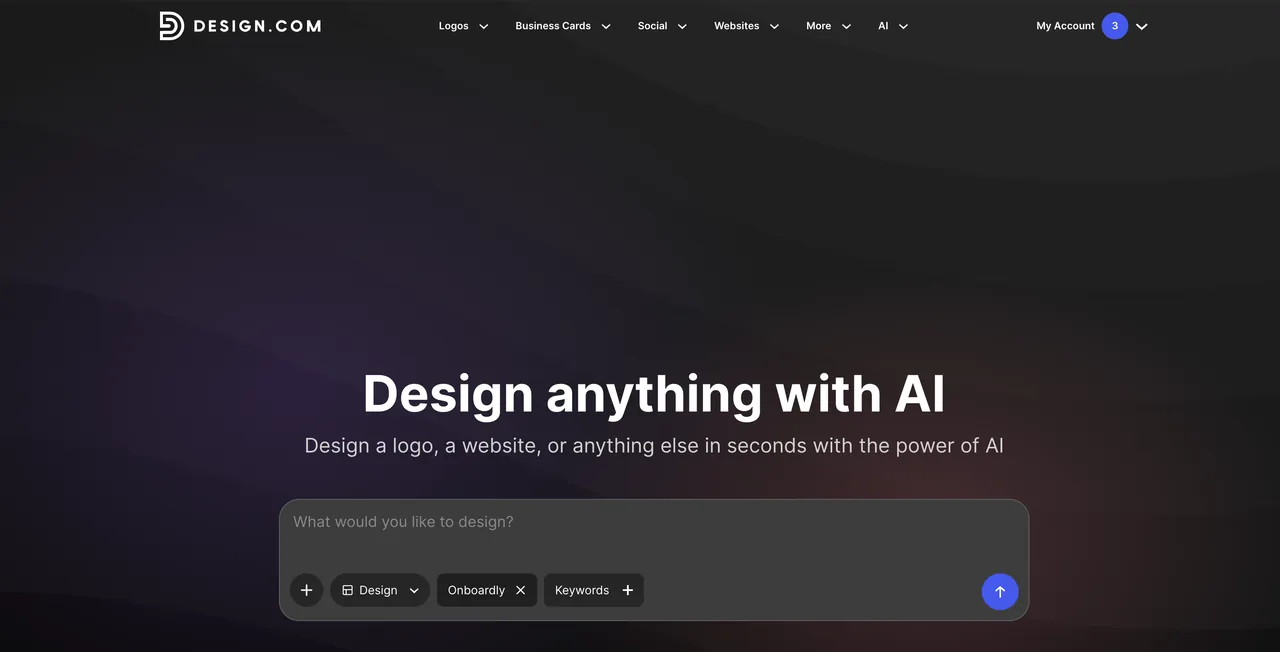
Two consequences are worth naming, because the other three tools do not put them in the same place. You do not need to arrive with a logo: generate one and the deck has it immediately. And you do not stop at the deck: the same identity is waiting on business cards, social posts, a link-in-bio page, a one-page site, more than fifty design tools that Design.com hangs off the logo. Changing the entire visual direction is one click, the way Gamma restyles a deck, except here it restyles everything you have made.
| Design.com | Gamma | Beautiful.ai | Canva AI | |
|---|---|---|---|---|
| Starting point | A template already in your brand | A written prompt | A smart template | A prompt or a template |
| Writes the slide copy | No, you fill it in | Yes | Yes | Yes |
| Makes the logo too | Yes | No | No | Yes |
| Same brand on cards, social, a site | Yes | Docs and web pages | Slides only | Yes |
On pricing: creating and editing a deck are free, and downloading one requires a paid plan. Design.com publishes the Premium plan at $9 a month, and the checkout we ran served it at $5 month to month, or $3 a month on the annual plan, $36 taken in one go. The logo side works on different terms, and generously so: the free pack hands over real vector files, SVG and EPS included, which most of the logo makers we checked charge for.
Best for founders and small teams building a visual identity and a first deck at the same time, who would rather start from a branded template than from a blank prompt, and who want the same brand applied across slides, business cards and social posts without setting it up twice.
Design.com
Create a logo and roll it out across your brand assets
The free Standard Logo Pack really does hand over the vector files (SVG, EPS, PDF), and the file we opened carried no watermark
Downloading a presentation requires the Premium account: exporting a 7-slide deck to PPTX opened an upgrade screen and no file arrived
See Design.com in motion
Design.com’s own overview of the brand kit and the editor, published on their channel. Fifty-three seconds, worth it if you would rather watch the workflow than read about it.
Gamma: The AI-first generator
Gamma is the tool that defined the category. Type a one-line prompt, “investor deck for a B2B SaaS that automates customer onboarding”, and Gamma produces a complete 10-15 slide deck with structure, copy, images and a coherent visual theme. The output is good enough to present as-is; great if you spend ten minutes editing.
The killer feature is the underlying canvas: each slide is a flexible card, not a fixed-layout PowerPoint slide. You drag blocks, swap layouts and let the AI restyle the whole deck from a single click. It also generates docs and webpages from the same prompt, which makes it useful well beyond pitch decks.
Free tier gives you 400 AI credits to get started. The Plus plan at $10/month removes the Gamma watermark and unlocks unlimited AI generation, and the price-to-output ratio is excellent for solo founders, consultants and content teams.
Gamma
AI design partner for presentations, websites and social
Intuitive interface, no design skills required
Limited customization compared to Figma or Canva
Beautiful.ai: The design quality leader
Beautiful.ai takes the opposite approach. Where Gamma optimizes for speed, Beautiful.ai optimizes for finished design, the kind that does not need a designer to clean it up before a board meeting. Its smart slide templates auto-adjust layout, spacing and typography as you type, so the deck stays visually consistent no matter how much you edit.
The brand kit feature is what makes it stand out for teams. Upload your colors, fonts and logo once, and every new deck inherits them. Combined with the Team plan’s shared templates, it eliminates the “every salesperson uses a different deck” problem that plagues most B2B orgs.
Beautiful.ai also has a stronger AI Designer in 2026: describe a slide and it generates the layout, picks an icon set and writes the copy. Pricing starts at $12/month for Pro, $40/month per user for Team plans with brand controls.
Beautiful.ai
AI that creates professional presentations in minutes
Auto-design always elegant
No free plan
Gamma vs Beautiful.ai: head-to-head comparison
| Feature | Gamma | Beautiful.ai |
|---|---|---|
| AI generation from prompt | Excellent (full deck in one shot) | Good (slide by slide) |
| Design quality out of the box | Very good | Excellent |
| Brand consistency | Manual theming | Brand kit + shared templates |
| Beyond slides | Docs, webpages, social posts | Slides only |
| Editing flexibility | High (flexible canvas) | Medium (smart templates constrain) |
| Free tier | 400 AI credits | 14-day trial |
| Entry pricing | $10/month | $12/month |
| Team / brand controls | Available on higher plans | Built around Team plan |
Pick Gamma if you create lots of decks, especially client pitches, internal updates or content that lives across slides + docs + web. Pick Beautiful.ai if you are a sales, marketing or comms team that needs every deck to look on-brand without the AI taking creative shortcuts.
Canva AI: The mass-market all-rounder
Canva is not a presentation specialist: it is a creative suite that happens to do presentations very well. Its Magic Design feature generates a deck from a prompt, but the real strength is the breadth of what comes after: edit the slides with the same tools you use for social posts, video thumbnails and marketing assets.
Canva AI’s edge is the free tier. Unlike Gamma and Beautiful.ai, you can produce decent presentations indefinitely without paying. Magic Write, Magic Edit and the AI image generation all work on the free plan with limited credits. For students, freelancers and small teams who need slides occasionally, Canva is hard to beat on price.
It loses to Gamma on pure AI deck generation speed, and to Beautiful.ai on premium B2B aesthetics. But it covers more ground than either: if your design needs extend beyond slides, Canva is the practical pick.
Canva AI
AI creativity for 200M+ users worldwide
200M+ utilisateurs, standard de l'industrie
Less flexible than Photoshop/Figma
Use case recommendations
| Your situation | Best choice |
|---|---|
| You are building the brand at the same time | |
| The slides have to carry an identity you already have | Design.com |
| You need the logo and the first deck together | Design.com |
| You want the deck as fast as possible | |
| Founder pitch deck, today | Gamma |
| Content that spans slides, docs and web | Gamma |
| Internal weekly updates | Gamma |
| Several people present on behalf of the company | |
| Sales team that must stay on brand | Beautiful.ai |
| Investor or board presentation | Beautiful.ai |
| You would rather not pay | |
| The occasional deck | Canva AI |
| Marketing team mixing slides and visuals | Canva AI |
Gamma, Beautiful.ai and Canva AI generate slide copy from your prompt, and Design.com starts you from a written template instead. Treat it as a draft, not a final. Investor decks, sales pitches and exec presentations need a human pass. AI copy reads competent but generic, and audiences notice. Use the AI for structure and design, write the message yourself.
Honorable mentions
Prezi takes a different route entirely: an interactive, zoom-based format rather than a linear deck. Worth considering if your content has spatial or hierarchical relationships that a linear deck flattens. Less AI-driven than the three above.
Napkin AI is not a deck builder: it turns text into diagrams and visuals. Pair it with Gamma or Beautiful.ai when you need clean conceptual graphics that AI tools usually butcher.
MindStudio is a broader AI workflow tool that includes presentation generation among many other capabilities. Overkill if all you need is decks, useful if you are building AI-driven content pipelines.
The bottom line
For most people, Gamma is the right starting point: fastest from prompt to finished deck, cheapest at $10/month, and flexible enough to use the same tool for docs and webpages. Beautiful.ai is the upgrade path for teams that need brand-consistent output and are willing to pay for it. Canva AI wins on free tier and breadth if presentations are one of many design tasks. Design.com is where to start if the deck has to carry your brand from the first slide, since the logo, the slides and the rest of the brand assets come out of the same place. Try the free tiers of all four on the same prompt. The differences become obvious in five minutes.
Related guides
Comparisons and guides covering adjacent topics.

Best AI Logo Generators in 2026
The best AI logo generators compared on one question: what does it cost to walk away with a usable vector file? Design.com, Wix, Brandmark, Logo.com, Looka, Canva, Adobe Express and Tailor Brands, prices checked 14 September 2026.

10 Best Free AI Tools in 2026
The best AI tools that are 100% free or have a generous free plan. ChatGPT, Claude, DeepSeek, Stable Diffusion, Fathom and more.
Tools mentioned
Find the best AI tool
214 tools listed with features and pricing. Find the one that fits your needs.



