
You want to know what people say about your brand, but your name looks like ordinary words. That is AI Hunter’s situation: “AI” and “Hunter” show up everywhere. So the real question is not whether Brand24 finds mentions. It is how much work it takes to separate your brand from the noise.
Our verdict after a hands-on session with a trial account: Brand24 quickly gathers varied sources with dates and links, and its filters make clean sorting possible. On an ambiguous name, though, the first dashboard numbers measure your query, not your brand. If you are willing to refine keywords before reading charts, the tool is worth a trial. Plan to tune the query before presenting the dashboard as a brand-awareness report.
You can start a Brand24 trial to repeat the process on your own name. AI Hunter may earn a commission if you subscribe through this link, at no extra cost to you. For the full tool profile, see our Brand24 review.
What we tested
The account had just been created by its owner and already held two projects, which we left untouched. We added a third project, AI Hunter, with three keywords: AI Hunter, ai-hunter.org and AI-Hunter, in all languages.
This was a short session, not weeks of tracking. The trial banner itself says data is limited, X included. What follows describes what the trial shows for one specific query, not the coverage of a paid plan.
What we observed
The analysis tab opens on the last 14 days by default, here October 26 to November 9. The project first showed 51 mentions, then 52 as collection continued. The dashboard then reported an estimated reach of 192K, with 3 positive and 9 negative mentions.
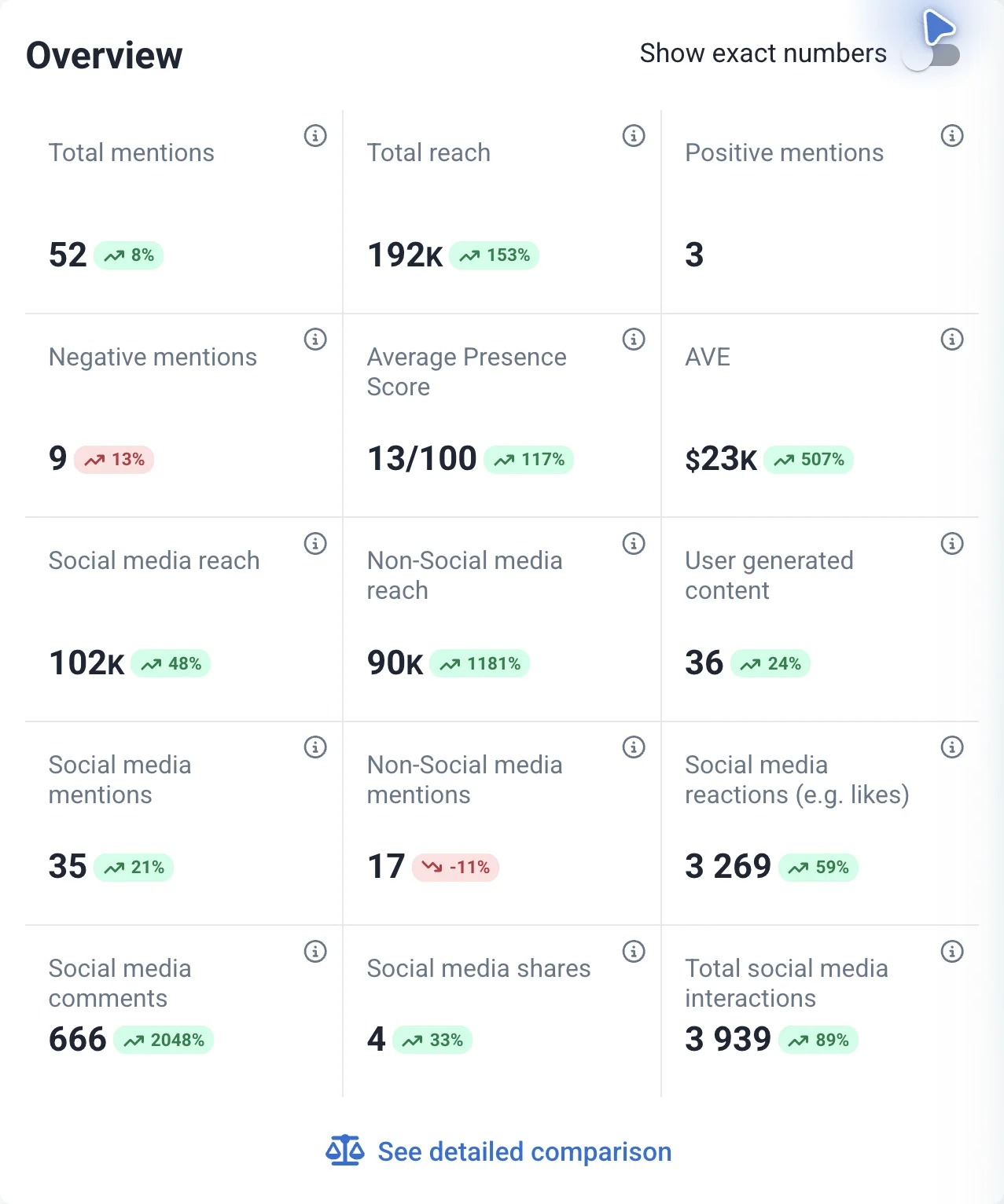
These numbers are raw. The first four results ranked as most popular had nothing to do with us: Minecraft video transcripts, a Minecraft datapack, and a Pabbly integrations list where “Hume AI” and “Hunter” happened to sit side by side. Homonyms and word coincidences. We did not measure a representative accuracy rate, but these examples are enough to show that the displayed reach and sentiment do not describe the brand.
We then searched for the text ai-hunter.org within the same 14-day dataset. Brand24’s answer: no data found.
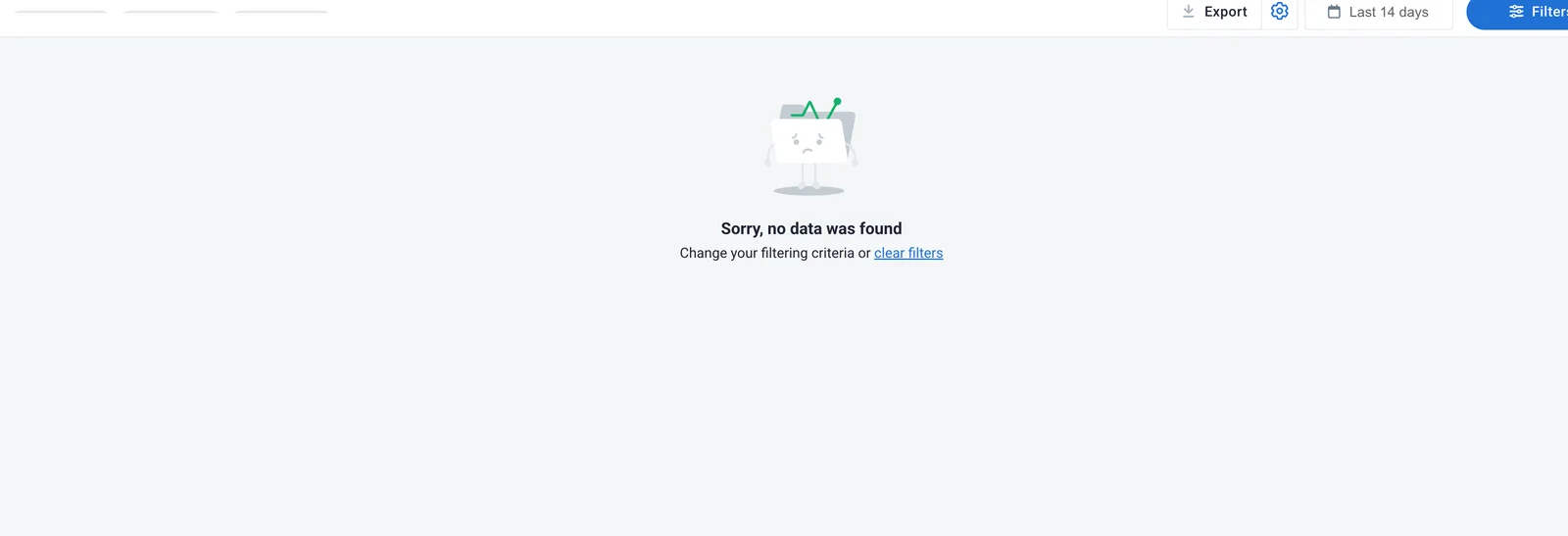
This does not prove that nobody mentions AI Hunter, nor that the tool misses genuine mentions. Limited trial coverage and the scope of text search bound the interpretation. It only says that, in this window, the text search found no domain match.
Finally, the AI Insights tab for the third project reported that the limit was reached: the two existing projects had already activated it. So we did not evaluate AI summaries or sentiment accuracy.
The test at a glance
| Observed step | Result | What it means |
|---|---|---|
| Project with 3 name variants, all languages | 51, then 52 mentions over 14 days | Collection starts fast, and totals move early on |
| Reading the 4 most popular results | Minecraft content, a Pabbly list | A broad query measures words, not a brand |
| Dashboard reach and sentiment | 192K reach, 3 positive, 9 negative | Not usable until the noise is filtered |
| Text search for ai-hunter.org | No data found | The filter finds no domain match in the searchable fields |
| AI Insights on the third project | Limit reached | Decide your AI project quota before opening a project |
The method to reproduce
- Start small. Name, domain, hyphenated spelling. Brand24’s official first steps guide covers setup.
- Read a sample before any chart. Label each mention: genuine brand mention, homonym, or a post from your own team.
- Refine, then check the other way. Add the exclusions the sample suggests, then make sure you did not filter out genuine mentions.
- Check the date window. Totals change with the period on screen.
- Diagnose an empty project. The help center lists common causes in why am I not getting any results in my project.
- Only then read reach, sentiment and trends, once the noise is under control.
Pricing and the buying decision
On the official pricing page, the Individual plan is listed at 249 USD month to month, or 199 USD per month billed annually. Pro is 499 USD monthly, or the equivalent of 399 USD per month annually, with AI Insights for two projects. The trial lasts 14 days.
The deciding factor is sorting time more than price. With a distinctive name, the entry plan may be enough for one person monitoring a brand. With an ambiguous name, plan a tuning phase before trusting the numbers. And if you rely on AI summaries across several projects, check your quota before opening another one.
Brand24 or something else?
- Light manual monitoring: a rare name, few mentions, one person checking now and then. Regular manual searches can be enough at first.
- Monitoring team: several brands or competitors, period comparisons, shared dashboards. A centralized tool like Brand24 starts to make sense.
Frequently asked questions
Does Brand24 measure my brand as soon as I create a project?
No, it measures your query. In our test, the first popular results were homonyms. Sort a sample before reading reach or sentiment.
Why does my domain return no results?
In our 14-day window, a text search for ai-hunter.org returned nothing. Limited trial coverage and the chosen period can explain this, so check your setup with the official help before drawing conclusions.
Does the free trial require a credit card?
No. According to the official pricing page, the 14-day trial runs without a card. Use it to validate your filters.
Can I use AI Insights on every project?
Not necessarily. On our account, the third project showed a reached limit because two projects had already activated it. Check your quota before creating a new one.
Which date range should I use to judge results?
The one you actually want to analyze, checked on every view. The analysis tab opened on the last 14 days by default, which changes the totals shown.
Next step
The most useful test is short: create a project with three variants of your name, label the first twenty mentions, then decide whether the sorting effort is acceptable for you. Start your free Brand24 trial.
Tools mentioned
Find the best AI tool
215 tools listed with features and pricing. Find the one that fits your needs.