
A product photo that starts moving can lose its label, shift color or grow an accessory nobody sells. This guide compares three tools that turn ecommerce photos into listing loops and ads, with a practical framework for checking product fidelity, planning retries and measuring the cost per approved clip.
Quick answer
Three tools, three production routes
 Creatify
- Best for
- Ad variants, avatar-led ads
- Published price
- Standard: 15 USD/month billed monthly, 55 credits
- Included workflow
- Photos, clips, text or URL input; video editor; watermark removal
- Check before buying
- Credit use varies by model, duration and resolution. G2 rates the whole product, not video fidelity.
 Photoroom
- Best for
- Catalog photos to short motion
- Published price
- Max, France: 26.99 EUR/month monthly or 14.50 EUR/month annual, 20,000 AI credits/month
- Included workflow
- Product Animator (up to 4 photos, templates); Video Ad Maker assistant
- Check before buying
- Not in Pro. Prices and credits vary by region. G2: 20 reviews, mostly photo editing.
 Predis.ai
- Best for
- Product videos plus social workflow
- Published price
- Core: 230 USD/year billed yearly, 1,300 credits/month, 1 brand
- Included workflow
- Photo or link to script, voiceover, captions; brand kit; MP4 export
- Check before buying
- Core has no auto-posting. 3-day trial needs a card, then bills. G2 rates the whole product.
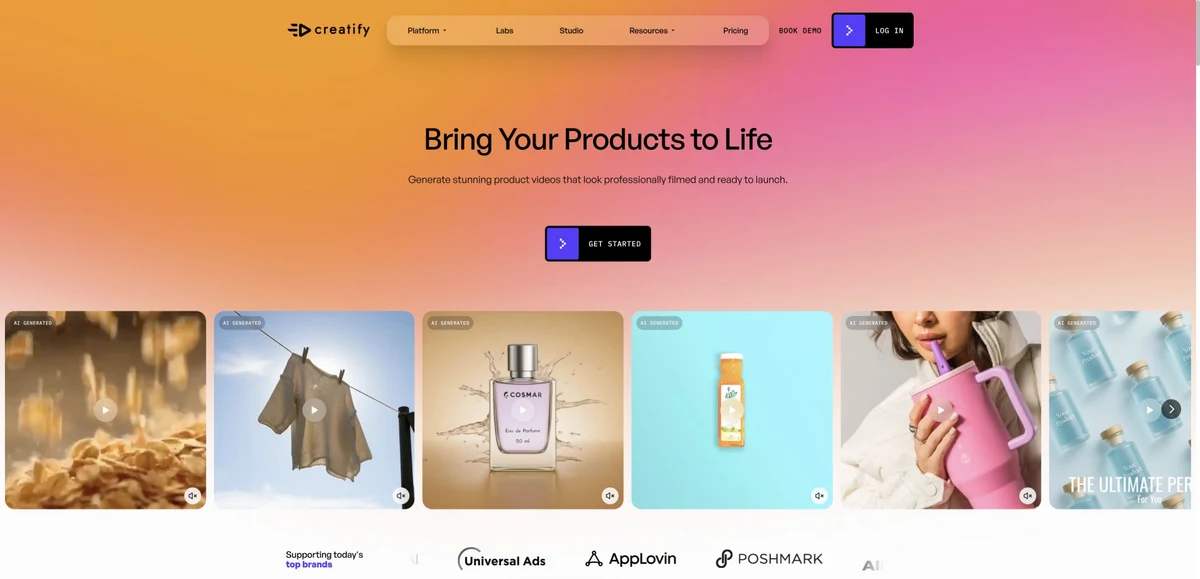
Creatify: ad variants from photos, clips or a product URL
Creatify’s product-video page lists photos, clips, text or a product URL as inputs, followed by a video editor. Standard includes watermark removal, one parallel generation and 300 actors.
Treat Creatify as a variant machine, not a catalog tool. Its value appears when one approved product brief must become several hooks, formats and presenter versions. Before scaling, check each presenter script against your approved facts, since an avatar is a presenter, not a customer. Budget retries in credits rather than in videos, because cost changes with settings.
Photoroom: motion loops from the catalog photos you already edit
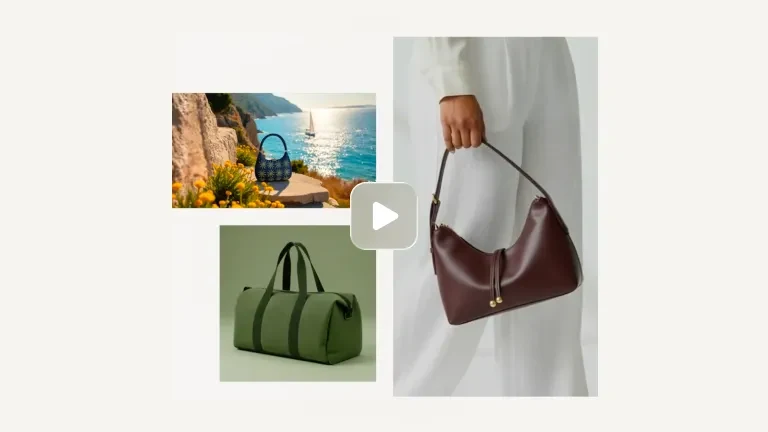
Photoroom’s video generator includes Product Animator, which uses up to four photos plus templates, and Video Ad Maker, a guided assistant. Video is available on Max and Ultra, on web, iOS and Android.
Photoroom makes most sense when your team already cuts out, cleans and standardizes product photos there. Feeding the same approved shots into motion keeps one source of truth for color and framing. Supply the four angles that really exist, then reject any loop that rotates into a side you never photographed. Confirm your regional price before committing.
Predis.ai: product videos linked to social publishing
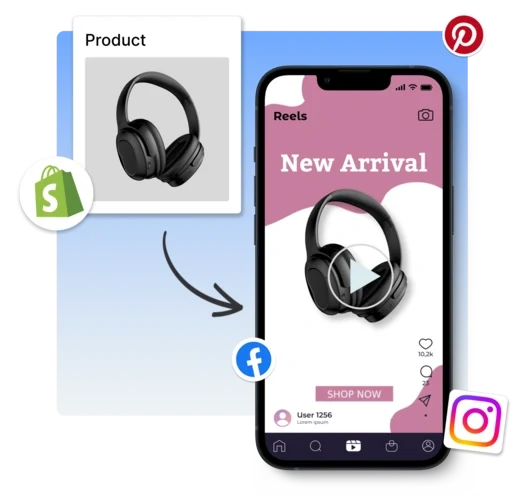
Predis.ai turns a product photo or link into a video with script, voiceover and captions, applies brand colors, fonts and music, exports MP4, and documents Shopify, WooCommerce, Etsy and Wix connections.
Choose Predis.ai when the bottleneck is the weekly social calendar rather than a single hero clip. Generated scripts and voiceovers give you a first draft, yet every spoken price, size or claim still needs checking against the product sheet. Test connector permissions on one store first, and keep or cancel the trial deliberately, since billing starts automatically.
Pick the deliverable before the tool
A listing loop, a social ad and an avatar ad are not interchangeable. Judge each tool against the clip you will actually publish, not against a universal winner.
- Listing loop: the real shape, texture and use, no invented back side, readable on mute.
- Social ad: one hook, one verified benefit, a call to action, captions and a mobile crop that keeps the product in frame.
- Avatar ad: a presenter explaining the product, never a fabricated customer review.
A brief that keeps product details explicit
Specify which product details must remain unchanged. Reserve creative freedom for camera, pacing and text.
- Inputs: three photos (front, side, detail) of one SKU, approved facts, logo, target placement and your own format spec, such as 9:16 vertical or 16:9 landscape.
- Keep packaging text, logo, colors and proportions fixed; calm camera; no new features, accessories or uses; overlay text in post if labels distort.
- Reusable ChatGPT or Claude prompt: “Use only these product facts. Mark anything unknown. Propose 3 shot ideas and 2 hooks. Add no new claims.”
A 7-day pilot before any upgrade
Proposed pilot: three representative SKUs, two concepts each, up to three attempts per concept, so 18 generation attempts for six desired clips.
- Choose hard cases: fine print on packaging, a shiny or transparent item, visible fabric detail.
- Check start, middle and end frames: shape, logos, text, color, item count, accessories, reflections, hand contact, caption accuracy and voiceover pronunciation.
- Reject clips that change the product instead of fixing its story; log acceptance rate, editing minutes and credits per accepted clip.
Budget per approved clip, not per credit
Prices sit in the cards. What matters is the cost of each clip you keep. Hypothetical example, not a vendor price or an observed result:
- 100 EUR total production budget (allocated subscription, credits, editing) and 10 accepted clips means 10 EUR per approved clip; 5 accepted means 20 EUR.
- Separate the allocated fixed subscription from marginal credit cost, keep media ad spend apart, and never compare credit counts across tools or currencies.
- Plan from model, duration, revision rate, region and credit reset; budgeting three variants does not guarantee three usable ones.
Scale only after approval
Once a format passes review, make it repeatable across the catalog. Our image-to-video guide covers models; this step is merchandising production.
- Humans own the brief, product QA and export review; name files sku-language-format-version next to approved master photos and facts.
- When localizing, check spoken brand names, product names and numbers; no auto-publishing without an approval step.
- Measure with spend, audience and offer held constant: add-to-cart, validated purchases and margin, not views alone.
FAQ
Which AI tool is best for ecommerce product videos?
It depends on the deliverable: Creatify for ad variants and presenters, Photoroom for animating catalog photos, Predis.ai for product videos tied to social publishing.
Is one product photo enough?
One photo can animate what it shows, not what it hides. Supply the views you want on screen and reject clips that invent a side, label or accessory.
Can I test these tools for free?
Creatify offers 10 monthly credits with a watermark. Photoroom reserves video for Max and Ultra. Predis.ai’s three-day trial requires a card and bills unless cancelled.
How do I check product fidelity?
Compare start, middle and end frames with master photos: shape, logo, text, color, item count, reflections, fabric. A clip that alters the product is rejected, not patched with captions.
Listing loop or UGC-style ad: which comes first?
The listing loop, if shoppers need to see the product clearly. Presenter formats follow once facts and visuals are approved, and an avatar never poses as a real customer.
How should I estimate credit costs?
Consumption depends on model, duration, resolution and retries. Run a small pilot, divide total spend by accepted clips, and avoid comparing credits across tools or currencies.
Does it connect to Shopify?
Predis.ai documents Shopify, WooCommerce, Etsy and Wix connections. Check requested permissions on a test store and do not assume automatic catalog publication.
Can ChatGPT or Claude help?
Yes, for briefs, hooks and scripts drawn from facts and assets you are authorized to use. They do not replace the video tool, and a human validates the product before publication.
Sources · 20/10/2026
Official pricing and product pages for Creatify, Photoroom and Predis.ai, plus G2 listings, consulted on 20 October 2026.
Comparing image-to-video models instead?
Our general image-to-video guide compares the underlying models; this one stays on ecommerce merchandising production.
 Best Image-to-Video AI Tools in 2026Read the image-to-video guide →
 Best AI Tools for Ecommerce in 2026: AdCreative vs Brevo vs Tidio vs GetResponseRead the image-to-video guide →
 Best AI Ecommerce Customer Support Tools 2026Read the image-to-video guide →
Start with the source photos: compare AI product photography tools for your catalog.
Find the best AI tool
215 tools listed with features and pricing. Find the one that fits your needs.