
A signed offer is not a ready project. Between acceptance and kickoff, agencies, consultants and small service businesses lose days chasing logos, copy, access and decisions. This guide gives you a practical workflow: one handover brief, a minimal intake checklist, a reusable ChatGPT or Claude prompt, reminder rules and a small pilot. The three tools are compared by bottleneck, not by feature count. Checked on 21 October 2026.
Quick pick by bottleneck
The three tools at a glance
 Content Snare
- Best fit
- Clients who send files, copy and answers late or in pieces
- Plan
- Basic: 42 USD/month, billed monthly
- AI role
- Drafts a structured request from a prompt or PDF
- Watch out
- Basic allows 20 active requests and 2 users
 Dock
- Best fit
- Client and team who need one shared kickoff plan
- Plan
- Standard: 350 USD/month, 5 users included
- AI role
- Drafts emails, finds content, creates workspaces
- Watch out
- Automations require Enterprise, not Standard
 Moxo
- Best fit
- Multistep validation with several owners in sequence
- Plan
- Request a quote
- AI role
- Prepares and reviews workflow steps
- Watch out
- AI is paid: confirm usage and implementation in the quote
Content Snare: for missing client documents
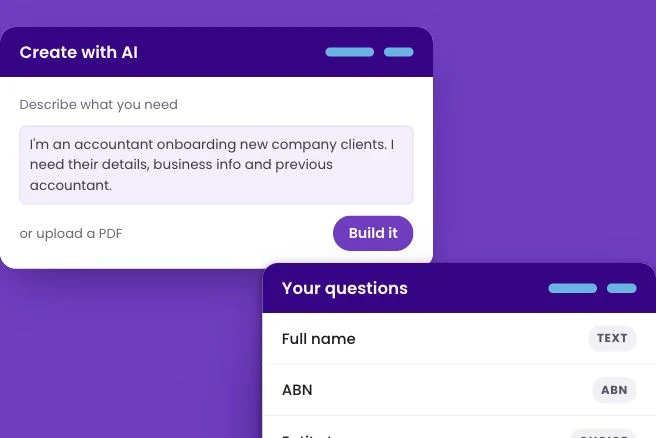
Content Snare collects information and files from clients in structured requests, with reminders and a review step. Its AI request builder turns a description, a list of questions or a PDF form into a questionnaire with sections and field types.
It suits the agency whose kickoff stalls because logos, copy and access are scattered across emails. The AI drafts the request; it does not validate what clients upload, so someone still checks each item. Plan capacity around active requests: archiving a finished one frees a slot, but the client then loses access, so archive only once everything is approved.
Dock: for a shared kickoff plan
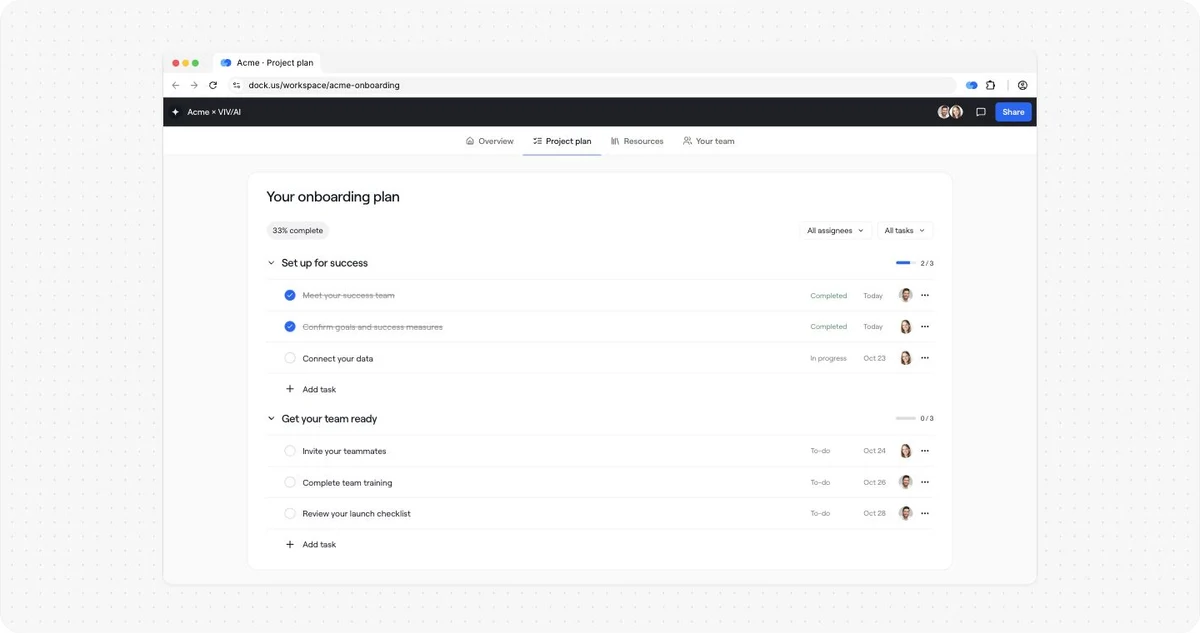
Dock builds shared client workspaces where an onboarding plan, resources, owners and dates sit in one portal. Its built-in AI assistant finds content, drafts emails and creates workspaces, and agents follow the instructions and sources you define.
Choose it when both sides need the same plan and a named owner for each step. Use Free to try a template. Automations require Enterprise: list your reminder and approval requirements, then verify which are covered by the quoted plan before buying.
Moxo: for sequential reviews with several owners
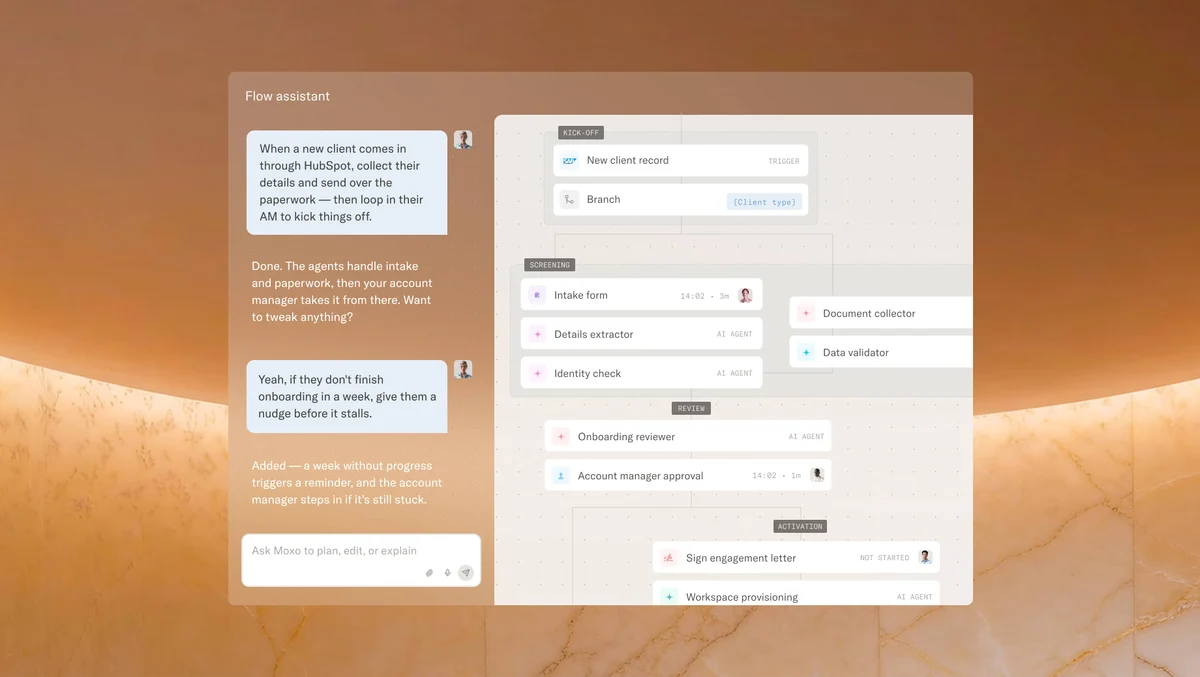
Moxo runs onboarding workflows with forms, file requests, tasks, approvals, reusable flows and roles. Its paid AI includes a Prepare Agent that prefills form fields and extracts workflow content, a Review Agent that checks files against configured criteria, and a chat assistant.
It makes sense when onboarding is a chain of approvals, for example legal, finance and delivery signing off in turn. The Review Agent applies criteria you configure, not your judgment, so scope what it reviews and keep a human approval on anything contractual. With no public rate, ask the quote to separate licence, AI usage and implementation.
From accepted offer to kickoff: one handover brief
Take a hypothetical web agency whose client has just signed a website project. Before anyone opens a tool, sales hands delivery one brief. It records what was agreed, who owns what on both sides and what is still undecided, so nothing lives only in someone’s memory.
- Write the accepted scope and explicit exclusions, then name one client owner and one internal owner. List three inputs needed to start: brand assets, current content and the decision maker, each with a due date agreed with the client, never invented.
- Keep a pending decisions list, such as page count still open or hosting not chosen. Signed does not mean paid or ready, so track separate statuses: accepted, inputs requested, ready, kickoff done. Each changes only when its condition is met.
- AI can turn the proposal, call notes and emails into this brief, provided it only structures facts that already exist. It cannot decide whether a commitment changed during negotiation; the account owner confirms any difference before delivery receives the brief.
A ready-to-use intake checklist
The intake checklist is the request the client actually fills in. Keep it minimal: every field needs a purpose, a responsible person, a format, a deadline and an acceptance criterion. If you cannot explain why a field exists, remove it before the client sees it.
- Example for the website project: logo in SVG, approved copy for three service pages, and analytics access through the platform’s official user invitation. Never ask for a password in a questionnaire, and skip personal documents the project does not need.
- Mark each field required or optional, and review the list with the client before publishing. A clear request states what, why, who, by when and how to get help: ‘Approved homepage copy, needed to start layout, from the client owner, by the agreed date; reply here if unsure.’
- Keep everything in one place with three statuses: missing, submitted, approved. Submitted is not approved: a blurry logo or draft copy stays open until the internal owner checks it against the acceptance criterion written in the field.
A practical ChatGPT or Claude prompt
General assistants are good at turning approved facts into clear questions. Paste the approved scope and your input list, then use a prompt that forbids guessing. The output is a draft: review it, then paste it into whichever portal or form you chose.
- Prompt: ‘Using the approved scope and this input list, draft onboarding questions grouped into company, project, assets and approvals. For each, give purpose, owner, format and deadline if known; write TO CONFIRM when unknown. Do not ask for passwords, do not invent scope, do not send anything.’
- ChatGPT or Claude help with content, not with permissions or the project record. They do not decide who can see a folder and they do not replace your portal. Check every question against the brief before it reaches the client.
- Optional: Codex or Claude Code can write a small test script that flags duplicate fields and missing owners on an anonymized fixture. It is not needed for a basic setup. A professional still handles ambiguity, priorities and the client relationship.
Reminder and handoff rules
Reminders and gates are process design, not a feature every tool automates. Some plans automate parts of them, others leave them manual, so write the rules first and then check what your plan does. The goal is fewer, better follow-ups and one clear kickoff decision.
- Agree a cadence with the client, remind only about missing items, stop as soon as they arrive, and escalate to a person when something is blocked. When a need is unclear, a short conversation beats an endless series of automated reminders.
- The shared client view must exclude internal margin and comments. Test with two fictional clients to confirm isolation, invitations and access revocation. Get the appropriate permissions before any client document is sent to an AI tool.
- At the kickoff gate, the owner verifies required inputs, approved scope and due dates. If you start with an exception, such as copy arriving next week, record the decision and who took it instead of silently marking the project ready.
A small pilot and a realistic cost
Do not buy three tools. Pick one bottleneck, one template and five fictional or anonymized clients, then compare with a baseline from the same project type. Gains can have several causes, so treat the pilot as input for a decision, not proof that the tool caused everything.
- Measure manual follow-ups, missing fields, review minutes, time from accepted to ready, and whether clients can complete the request on a phone. Record the same metrics on recent projects of the same type before starting.
- Hypothetical budget, not a vendor price: 50 EUR of software plus 2 hours of setup at 40 EUR per hour gives 130 EUR for the first month, or 26 EUR per case over five cases. Track the recurring cost separately.
- Ask quotes to price AI usage, onboarding and integrations separately. At low volume, an existing form plus ChatGPT may be enough. Setup time varies by team; the aim is to free staff for scoping, relationships and delivery rather than admin.
To take this workflow further, see AI Client Reporting Tools for Agencies 2026: Stop Rebuilding.
FAQ
Which tool is best for client onboarding?
It depends on your bottleneck. Missing documents and files point to a structured request tool, a shared kickoff plan points to a client workspace, and multistep validation with several owners points to a workflow platform. Fix the slowest step first.
What is client onboarding, compared with employee onboarding?
Client onboarding covers the steps between an accepted offer and a ready project: scope handover, inputs, access, approvals and kickoff. Employee onboarding concerns new hires, contracts and equipment. Some tools overlap, but the workflows and data are different.
Can ChatGPT or Claude handle onboarding alone?
For content, yes: they can draft questions, emails and briefs from approved facts. They do not automatically give you a client portal, permissions, file storage or status tracking, so pair them with a form or portal you control.
Is the free Dock plan enough to start?
The Free plan offers 10 workspaces with limited AI, enough to test one template with a few clients. You still need your own kickoff gates and reminder rules, because automations are reserved for Enterprise.
What should we collect from the client?
Only the minimal inputs needed to start: assets, approved content, the decision maker and access through official invitations. Never collect passwords in a form, and skip personal documents the project does not require.
Can AI replace the client relationship?
No. AI can prepare requests and summaries, but clarifying vague needs, settling priorities and handling a frustrated client remain human work. Use the time saved on admin to talk with clients at the moments that matter.
How do we handle a client who is late?
Agree priorities in advance so you know which input blocks the start. When something is blocked, a person calls or writes directly, and reminders about items that no longer matter stop.
How do we measure the benefit?
Compare manual follow-ups, time from accepted to ready and the number of corrections against a baseline from the same project type. Portal views and revenue say little about this process.
Sources · 21/10/2026
Official features and pricing checked on 21 October 2026. G2 scores reflect product reviews, not AI accuracy.
Related guides
Connect the agreed proposal, client onboarding and invoice follow-up, then automate the repetitive steps.
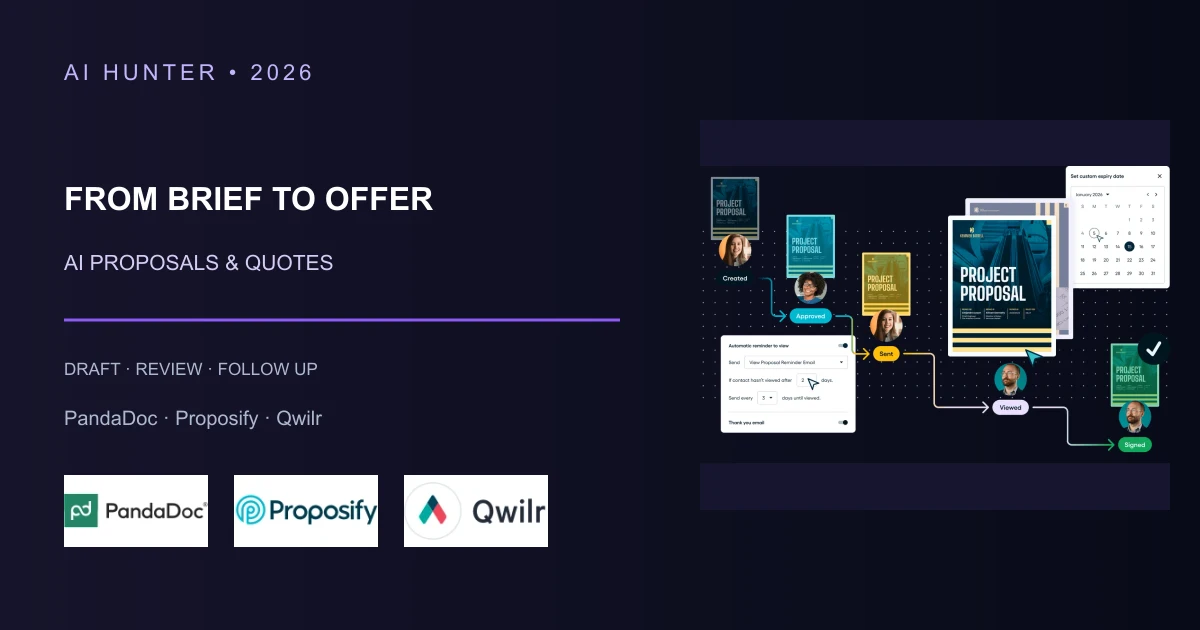 AI Sales Proposals and Quotes 2026: A Practical Buyer Guide
 AI Invoice Follow-Up Tools for Service Businesses (2026)
 Best AI No-Code Automation Tools in 2026: Make vs Zapier vs n8n vs Activepieces
Find the best AI tool
215 tools listed with features and pricing. Find the one that fits your needs.