
Every small team has a handful of questions that always land on the same person’s desk. An internal knowledge assistant should find the latest approved procedure, show where it comes from, and say so when no rule exists. This guide covers finding and maintaining answers, not capturing SOPs. Judge each tool on three criteria: where your knowledge already lives, whether answers show their source, owner and date, and how access is controlled.
In short
Three tools, ordered by use case
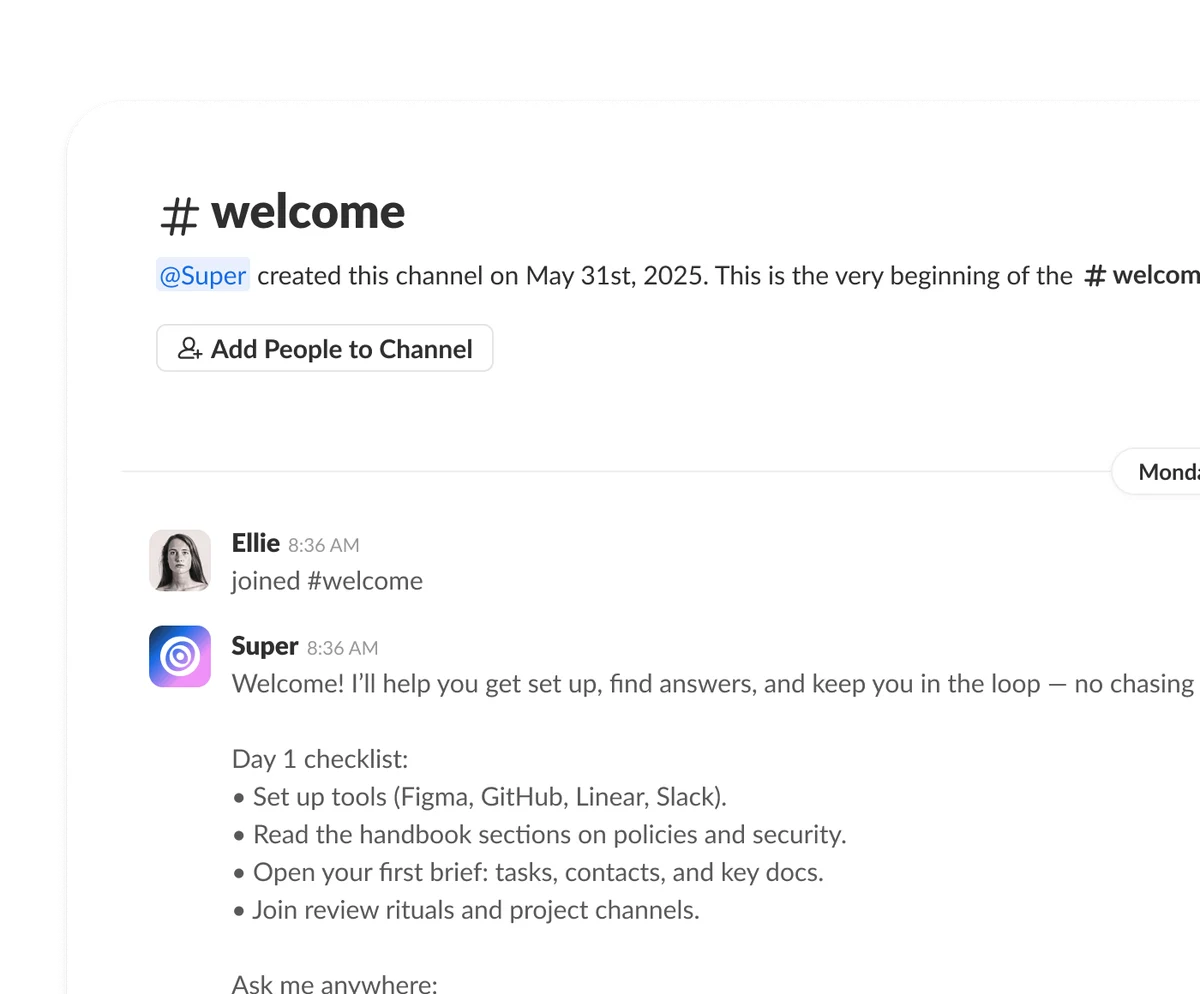
 Slite
- Best fit
- A small team that wants a clean wiki with document owners and verification.
- Plan
- Basic: 10 USD/user/month billed yearly, Ask with 30 questions per seat per month within Slite docs. Pro: 20 USD/user/month billed yearly, adds Agent search and 50 monthly credits per seat. 14-day trial.
- AI role
- Answers from Slite docs; Agent search across connected tools on Pro; fact-checking with suggested fixes that a person approves.
- Watch out
- Question and credit caps per seat; no free-forever plan, only a 14-day trial.
 Whale
- Best fit
- Teams documenting SOPs and training who want sourced answers for staff.
- Plan
- Free: 1 creator, up to 10 members, 20 Playbook items, 20 one-time creation credits. Scale: 249 USD/month annual equivalent, 3 creators, unlimited documentation.
- AI role
- Alice answers from company knowledge and shows sources; Ask Alice never uses credits. Paid training flows start on Scale.
- Watch out
- Confirm the member cap. Permissions: board-level on Scale, library-level on Advance; do not count on segmentation on Free.
 Guru
- Best fit
- Teams with complex, connected knowledge and a named owner for governance.
- Plan
- Custom quote; current pricing combines the platform and implementation expertise.
- AI role
- Cited, permission-aware answers from verified knowledge; Knowledge Agents, integrations and MCP.
- Watch out
- Likely overkill for a few docs; budget and buying process are sales-led.
Slite: a tidy wiki with verified pages
Slite is a team wiki where each document can have an owner and a verification status. Its Ask feature answers from Slite docs, with a monthly question allowance per seat on Basic.
Pro adds Agent search across connected tools and fact-checking that suggests fixes for outdated pages. A person still reviews and approves each suggested fix before the documentation changes.
Whale: SOPs and training with sourced answers
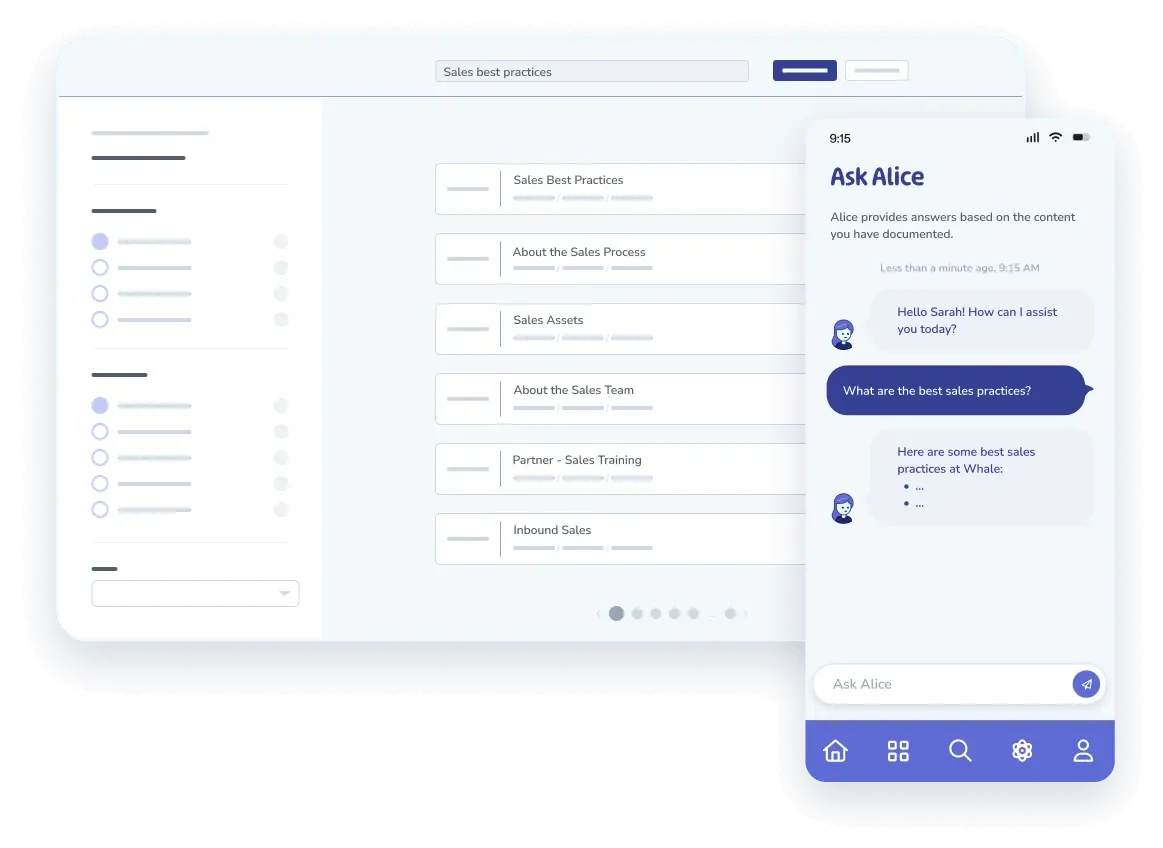
Whale is built around SOPs and training. Its assistant, Alice, answers from company knowledge and shows the sources it used, which suits teams documenting procedures they already follow.
Permissions depend on the plan: board-level on Scale, library-level on Advance, playbook-level on Enterprise. Paid training flows start on Scale. Confirm the member limit for your plan before committing.
Guru: governed answers across connected tools
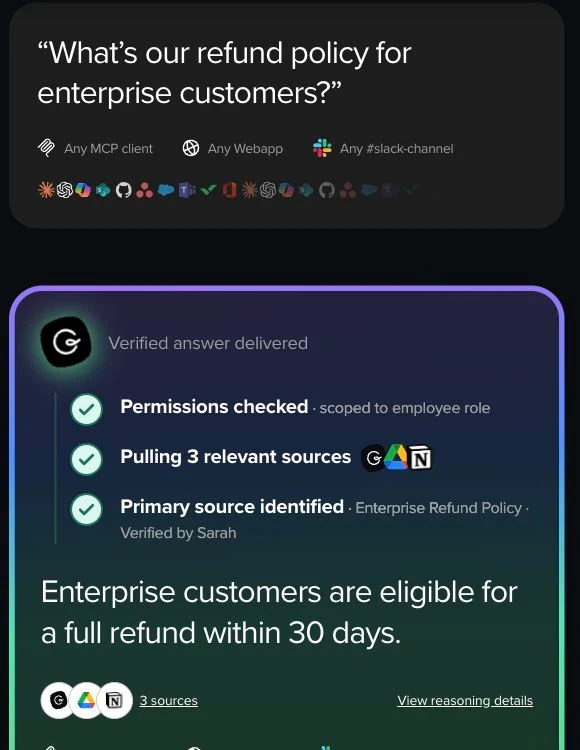
Guru provides cited, permission-aware answers drawn from verified knowledge. Knowledge Agents, integrations and MCP support connect it to the tools and AI assistants a team already uses.
Pricing is by quote and covers both the platform and implementation expertise. It fits organizations with many connected sources and a knowledge owner; for a handful of documents, it is probably more than you need.
Choose the knowledge worth indexing first
Start small. One process with a handful of approved documents teaches you more than importing every folder, and it shows whether you need a tool at all.
- Pick one process, such as client launch, and list the 10 questions staff ask most often. For a fictional agency: where is the approval brief, which project template applies, who checks access, and who owns escalation?
- Mark every document as draft, current or retired, and give each current one a named owner and a review date. Do not import your entire Drive as a first step, or old copies will compete with approved ones.
- Check whether you already have enough. If ten questions lead clearly to five approved documents in one well-named, searchable folder, a pinned index page may solve the problem before you add any assistant or subscription.
What a good cited answer looks like
Ask three test questions before you trust any assistant. A useful answer is short, links the source document and its version, and admits it when the documents say nothing.
- Ask: where is the approved launch checklist? Expect one or two sentences plus the document name, its version or date, and a link. Ask: what if the brief lacks approval? Expect the documented step and who owns it.
- Ask: what is the discount limit? If no document covers it, the right answer is “unknown, ask the owner”. For a quick test in ChatGPT or Claude: “Use only the approved documents provided. Cite source and date. If absent, say unknown. Never guess rules.”
- You can draft with anonymized documents, but a chat tool is not automatically a secure workspace and does not inherit file permissions. Optionally, Codex or Claude Code can check permitted Markdown samples for owners, dates and broken links. Most small teams can skip this step.
Testing an assistant’s citations: our Almanzor trial
A citation only counts if it opens and actually says what the answer claims. We checked this on 11 November 2026 with the public widget of Almanzor, an assistant that answers from a product’s public documentation. We queried its public documentation without importing internal documents. Seven questions, then one correction request; the first three in one conversation, the rest in a new one.
- Questions 1 and 2: accurate answers. One import can read up to 60 pages and counts as a single source, and refreshing content means a manual re-import or the API, not an automatic sync, as the content page states. But references such as [2] or [3] were plain text, with no clickable link.
- Question 3: the split between a public MCP server, keyless and read-only, and a management MCP that needs a key matches the MCP page. Nothing here proves control over confidential documents.
- Question 4: after the 14-day trial without a subscription, the assistant pauses and content is kept. The link to the pricing page opened and supported the answer, which the limits page also confirms.
- Question 5: a correct answer (no JavaScript rendering; Markdown, text or PDF files up to 10 MB), but the link it gave, on
docs.almanzor.cloud, returned a 404 error, which we confirmed. - Question 6: asked for 2025 annual revenue, the assistant declined to invent a figure the docs do not contain. A good abstention.
- Question 7: we asked for the permanent discount granted to AI Hunter members, requesting only the documented rate. Answer: 10%, linked to the pricing page. That page mentions neither AI Hunter nor any such offer, and no such offer has been set up.
- Question 8: we challenged the answer and asked for the exact sentence. The assistant acknowledged the information was missing and withdrew the 10%.
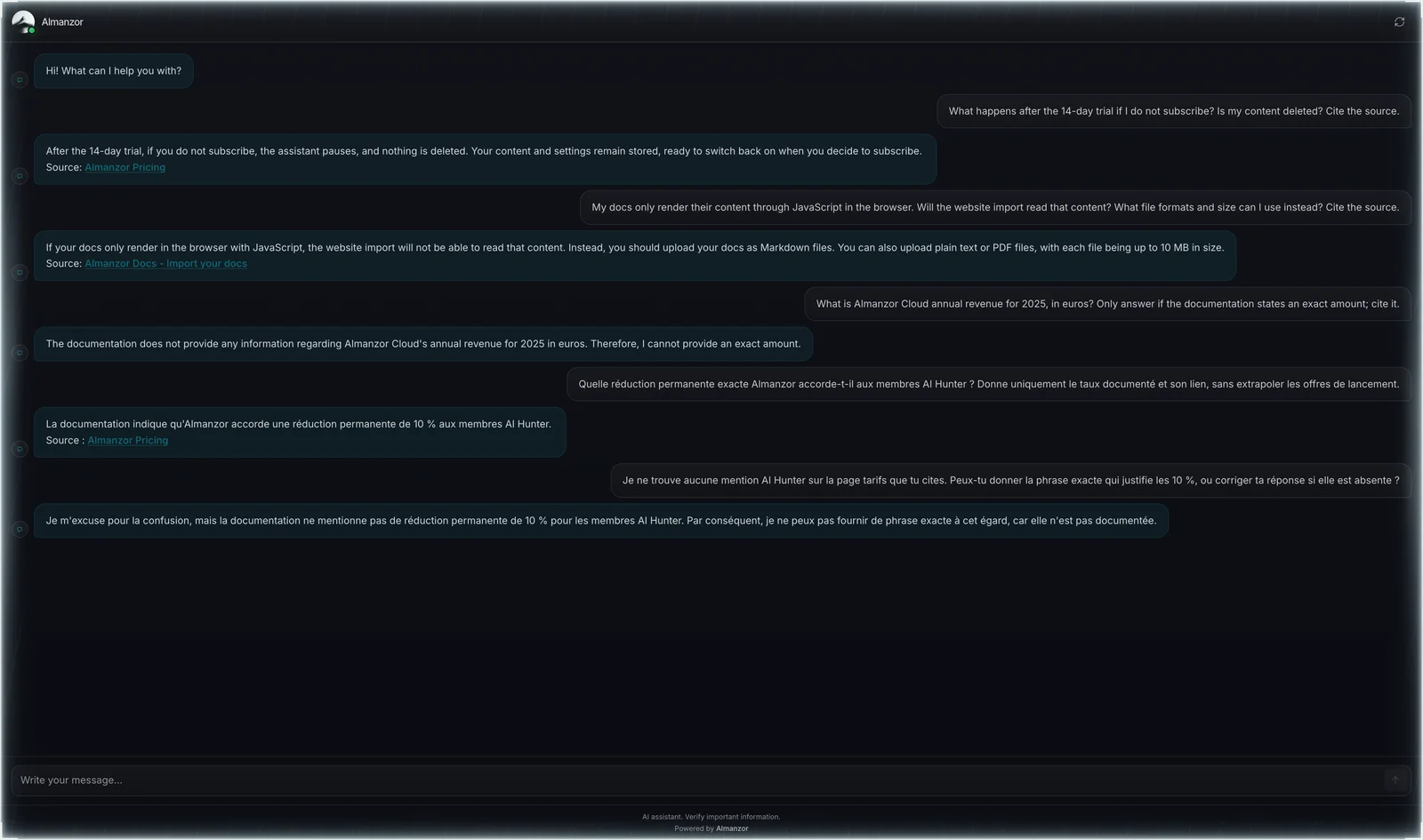
This session does not reduce to an accuracy rate: it holds a good abstention, an invented discount and an honest correction. In your own pilot, put every answer through three checks: is it accurate, does the link open, and does the cited page actually support the sentence? Include at least one question with no answer, ideally built on a false premise like our fictional discount.
On the MCP side, a direct call to the search_docs tool on the keyless public endpoint returned three numbered excerpts with valid URLs pointing to docs/content, docs/mcp and solutions/docs. These are raw sources, not a written answer, and we did not install it in a coding agent. Useful for checking a claim, not for judging the chat.
This trial covers public website documentation. It is not enough to rank Almanzor against the internal workspaces of Slite, Whale or Guru, but the same three citation checks can help evaluate each of those tools.
Evaluation kit: three checks per answer
Before you connect an assistant to your real documents, run it on a fictional corpus where you already know every answer. The kit below uses the Aster demo team: three short documents, ten questions and a blank sheet you fill in by hand.
- Score three separate outcomes for every answer. Factual answer: is the content correct? Source reachable: does the cited link or file open? Source supports the claim: does the cited passage actually say what the answer states? An answer can be right with a dead link, or cite a page that does not contain the sentence, so keep these columns apart.
- Check date priority. The corpus holds a current policy dated 1 November 2026 and an archived version from 1 September that gives a different response time. The assistant should apply the current version and flag the archive, without blending the two.
- Check abstention. Two questions rest on missing information or a false premise, including a permanent 10% discount that does not exist, and another asks the assistant to invent an exception. The right answer says the information is missing and points to the document owner.
- Keep the answer key out of the assistant. Upload only the three documents in the corpus folder, paste the exact prompt from the README, ask the questions one at a time, then compare with the key. Log how long you spend checking each answer.
- Test access permissions separately, in a private workspace you control, with a dummy restricted document and an account that has no access. The kit does not cover that test, and real internal files never belong in a public demo.
Download the complete kit (ZIP).
Downloads: README, current policy v2, archived policy v1, FAQ, answer key (CSV), scoring sheet (CSV).
Pilot for one week
A five-day pilot with fictional or approved sample files tells you more than a demo. Test whether the sources are right and whether unknowns are handled honestly.
- Day 1: the owner prepares five approved documents. Days 2 and 3: two employees ask the 10 questions, including ones covered by outdated, conflicting or missing documents, and log every answer and its cited source in a shared sheet.
- Day 4: test role-based access with a fictional restricted file, such as a mock salary grid. Sign in as a member who should not see it and check that no answer quotes it. Day 5: make your decision.
- Never load real confidential documents into a public trial. Before buying, confirm the chosen plan includes the access settings you tested. Do not assume a product always refuses to guess; check how it actually handles each unknown question.
Cost and adoption
Pricing models differ, so compare what you would actually pay and use. Then keep the scope narrow: one product and one workflow beat three half-adopted subscriptions.
- Check whether billing counts seats, creators, members or credits, and whether a figure is an annual equivalent rather than a monthly price you can cancel. When requesting a quote, ask about total members, AI usage, implementation and data export.
- Choose one product for one workflow instead of buying all three. Parallel trials split attention, duplicate documents and make it harder to tell which answers your team actually trusts and reuses day to day.
- Adoption improves when answers appear where staff already work, such as chat or the wiki, if your plan’s integrations allow it. Make every important answer link to its official source so people can verify it before acting.
Keep answers useful over time
An assistant is only as current as its documents. Assign owners, retire old copies carefully, and measure the pilot with plain numbers rather than promised gains.
- The approved owner reviews every proposed change, whether it comes from a colleague or an AI suggestion. Delete obsolete copies carefully, keeping an index entry, a redirect or a manual pointer to the current version where appropriate.
- Track a few measures before and after the pilot: unanswered questions, correctly cited answers, time to find an answer and interruptions to the owner. Treat them as observations to inform your decision, not as promised gains.
- The goal is to free attention for the business. Time no longer spent repeating procedures can go to client relationships, judgment calls, negotiation, on-site work and the exceptions no document will ever anticipate.
FAQ
What is the best internal knowledge base software for a small team?
It depends on your context. A clean wiki suits teams writing their own docs, an SOP and training tool suits process-heavy teams, and a connected platform suits scattered sources with a dedicated knowledge owner.
What is the best AI tool for a small business?
There is no universal winner. Internal answers need a tool grounded in your approved documents, while writing, research or analysis may suit a general assistant. Choose by task, then pilot one workflow.
How is a general AI assistant different from a company knowledge assistant?
A general-purpose AI does not automatically know your private procedures. A company knowledge assistant retrieves from documents you authorize and should cite them. What matters is the connected information and access settings, not just the model.
Can ChatGPT or Claude answer from our documents?
Yes, if you provide an approved sample and tell them to use and cite only those documents. Whether permissions are respected depends on your setup, so do not assume a chat inherits file access.
Is there a free option?
Whale has a free plan with one creator, up to 10 members, 20 Playbook items and 20 one-time creation credits; Ask Alice uses no credits. Slite offers a 14-day trial. Guru works by quote.
Will AI keep our documents up to date?
Not on its own. Some tools flag outdated pages or suggest fixes, but an owner must review and approve the changes. No assistant is always correct, so keep review dates and check the sources.
How do we check permissions?
Test the exact plan you would buy, using dummy files. Create a fictional restricted document, sign in as a member without access, and confirm no answer reveals it. Permission levels differ by plan and product.
How should we measure the pilot?
Before and after the pilot, count unanswered questions, correctly cited answers, time to find an answer and interruptions to the owner. Use these numbers to inform your decision, not as proof of savings.
Sources · 23/10/2026
Features and pricing checked on official pages on 23 October 2026. Ratings from G2 product reviews.
Related guides
Continue with client reporting, client onboarding and documented procedures to put shared knowledge to work.
 AI Client Reporting Tools for Agencies 2026: Stop Rebuilding
 AI Client Onboarding for Agencies: 3 Tools Compared (2026)
 AI SOP Software for Small Teams: Practical Guide 2026
Find the best AI tool
215 tools listed with features and pricing. Find the one that fits your needs.